


User Profiles
Custom Profile Fields
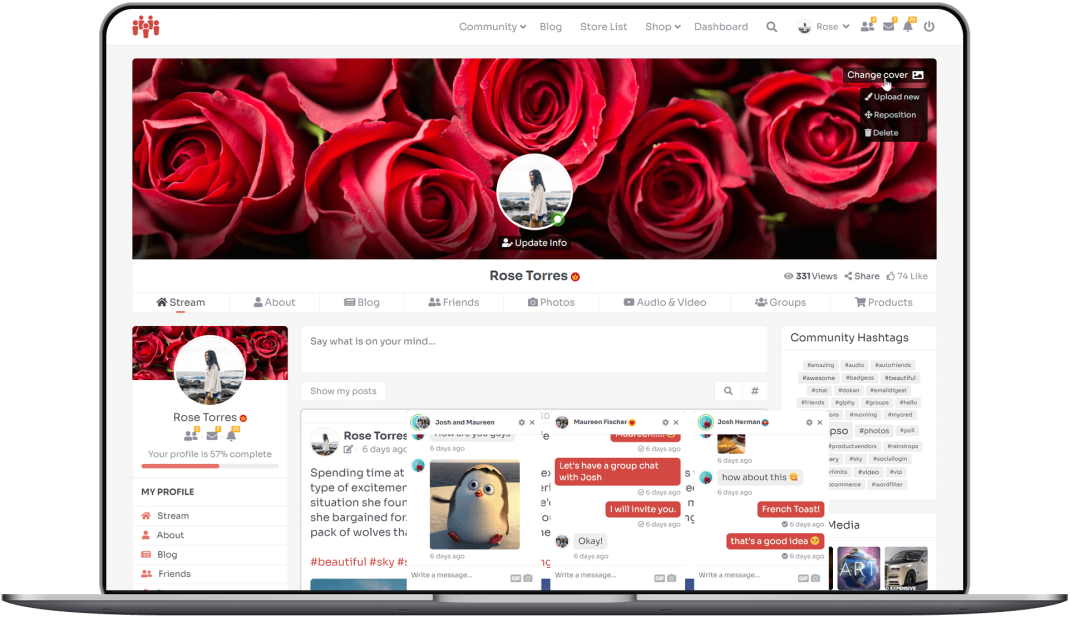
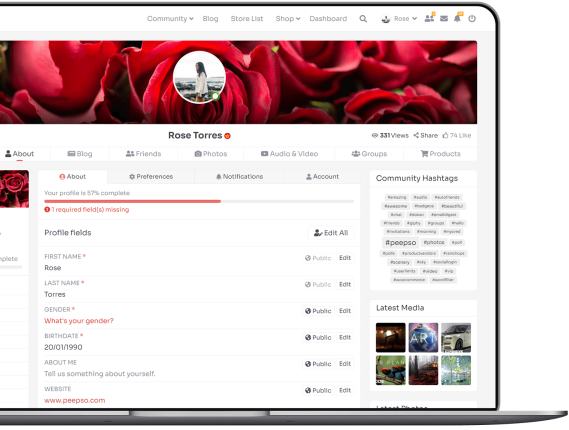
Create custom profile fields for your community members: birthday fields, multiple select, single select, date, URL, country and more. Everything is done on the same page without the need to save and refresh. On the front end, the user can edit their profile fields smoothly and seamlessly one by one.
PRACTICAL DESIGN
Activity Stream
Activity Posts
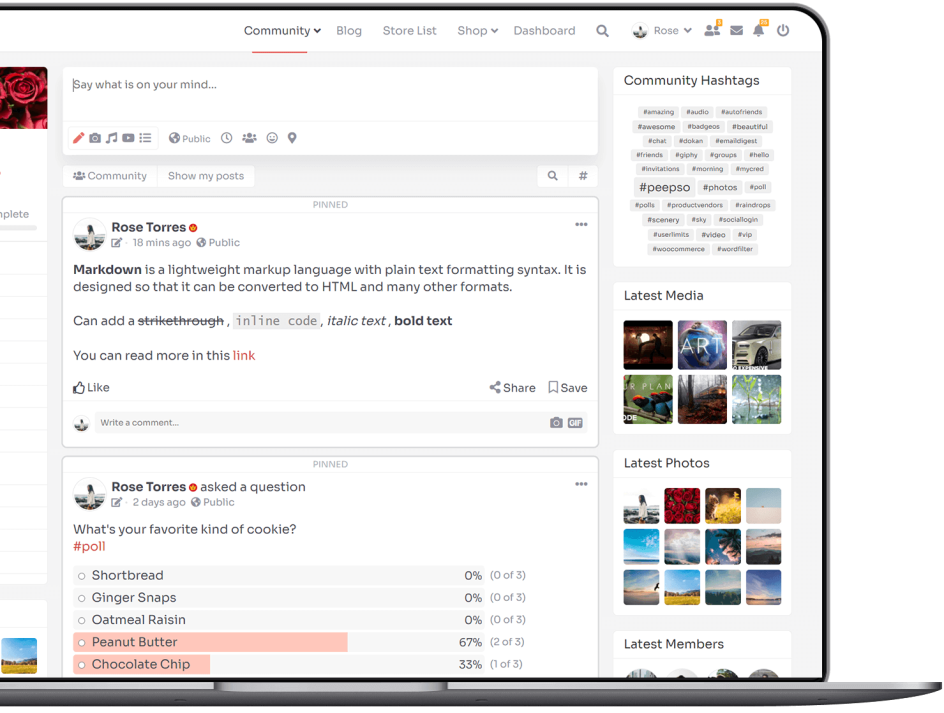
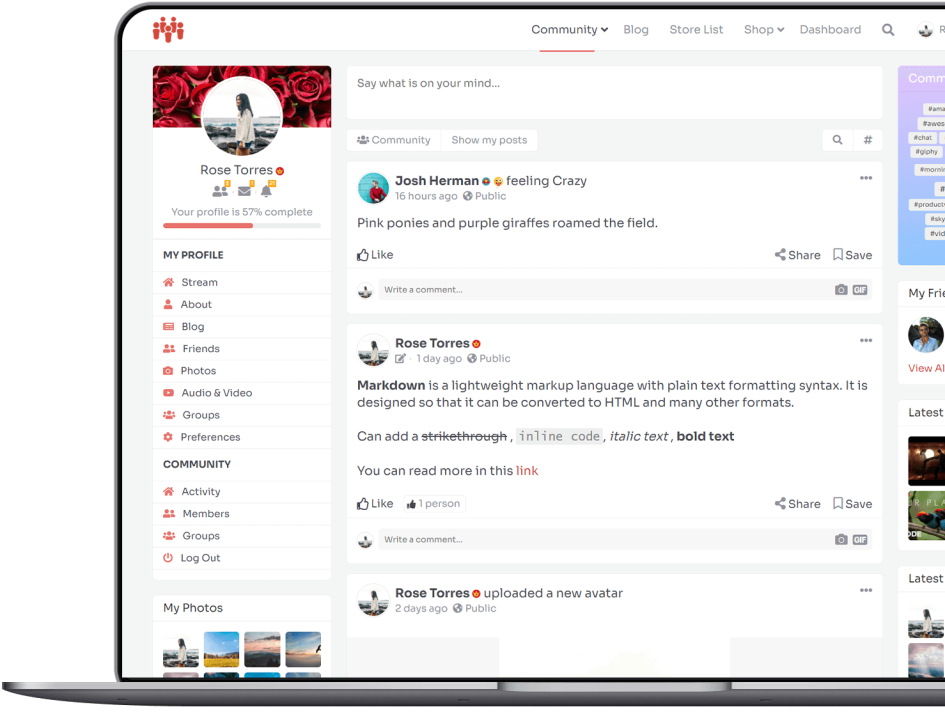
Users can write Posts on Activity Stream and Profiles.
Privacy
3 default Privacy settings for users’ content: Public, Site Members, Only Me.
Nested Comments
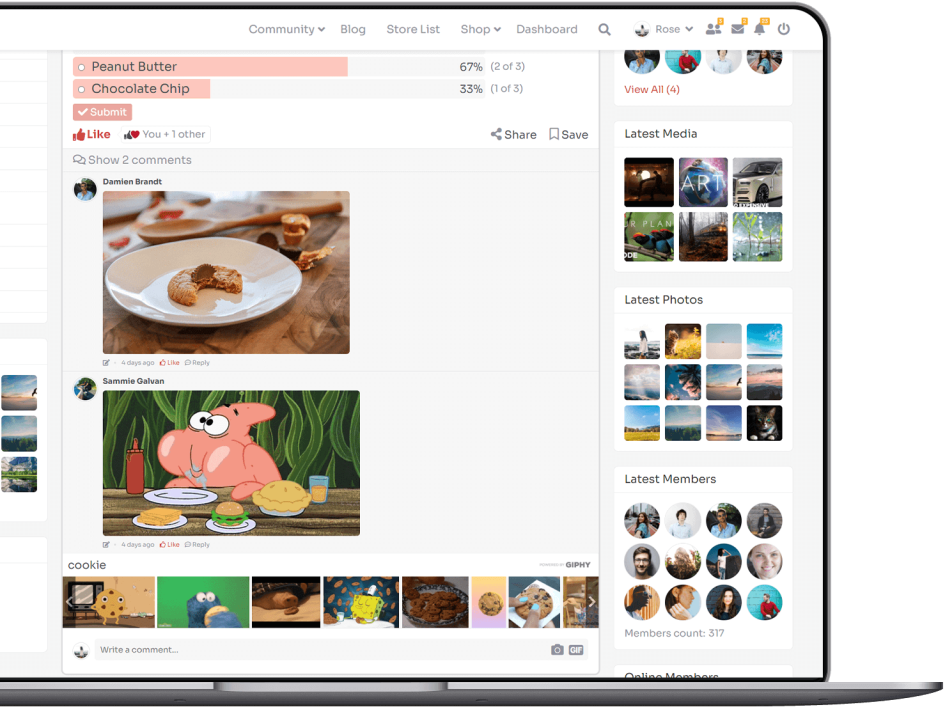
Comments under Posts are nested so your users never lose track of the conversations.
Pinned Posts
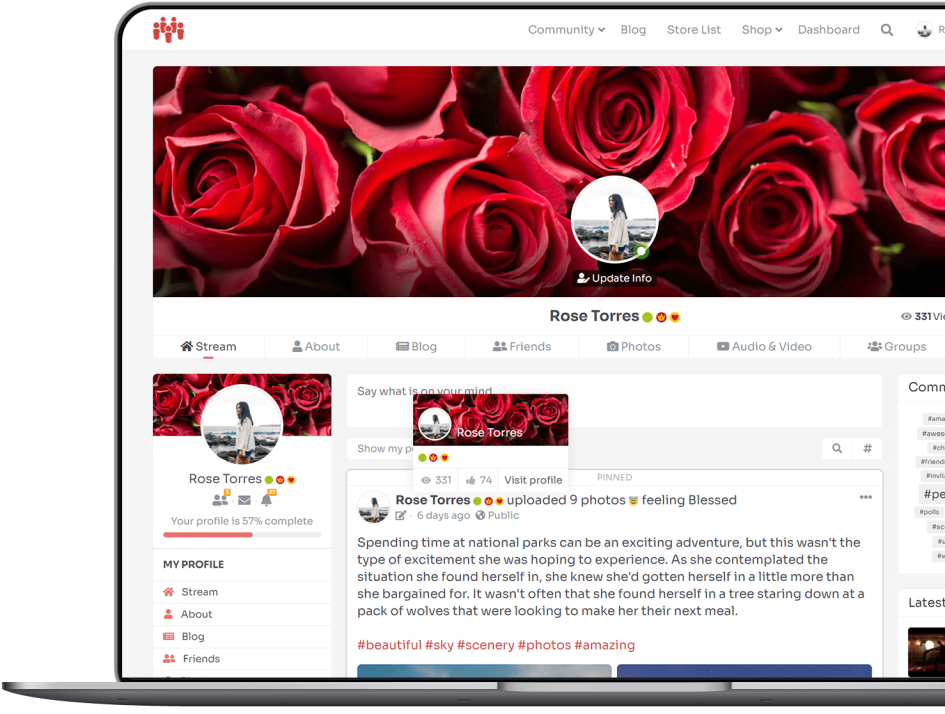
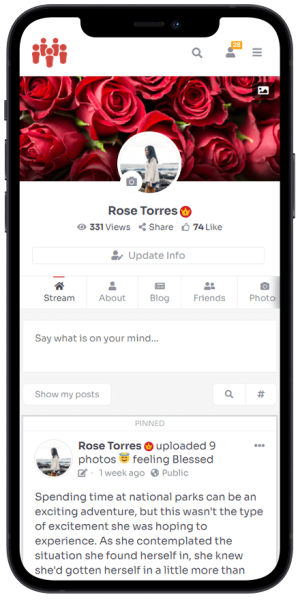
Admins can pin posts to the top of the Activity Stream – these are great for making announcements.
User Hover Cards
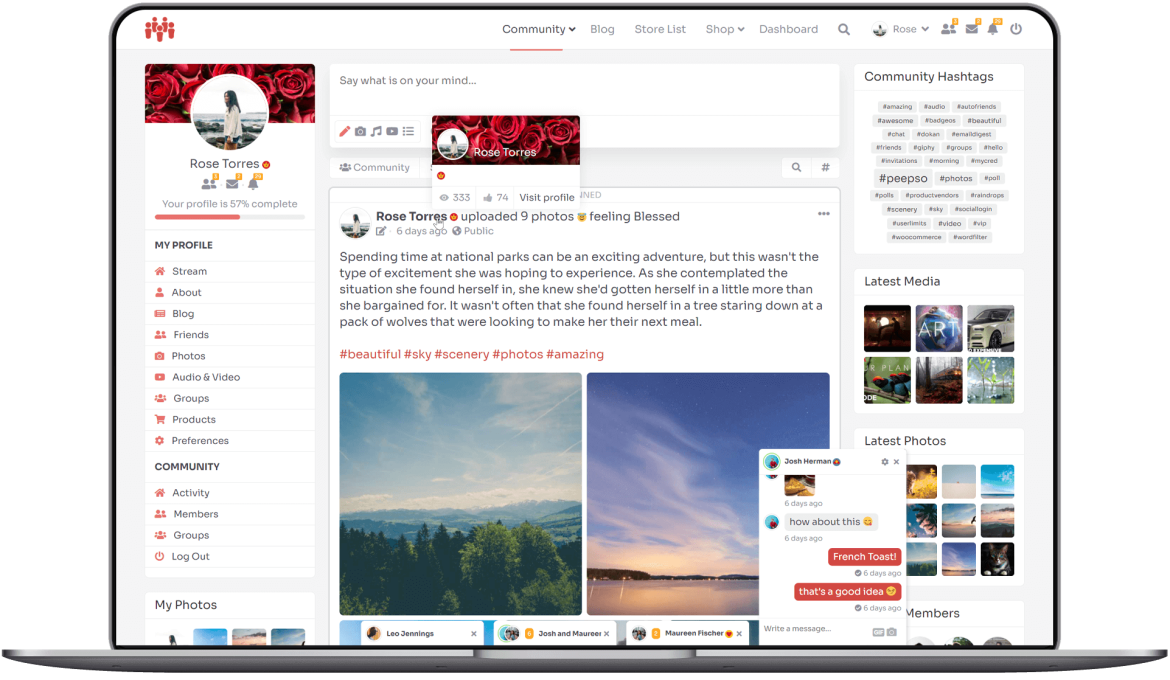
When hovering over a user name (or tapping on mobile), it shows a hover card with user’s profile summary.
Reporting
Users can report content they don’t agree with or find offensive. Admins get notified about it.
#Hashtags
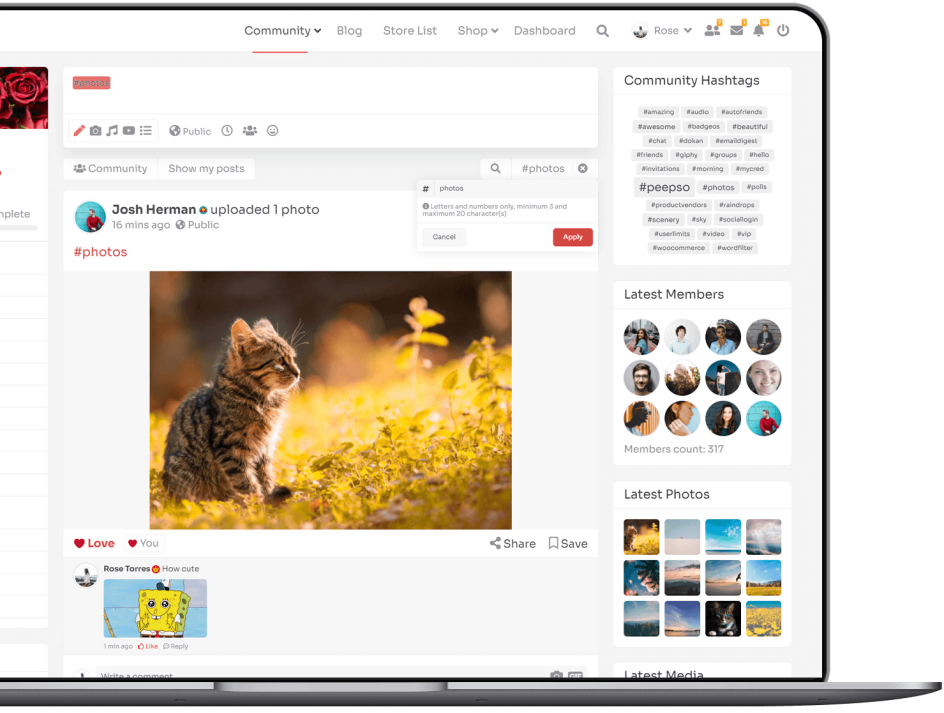
Comes with the ability to use hashtags on any PeepSo Post – whether they’re made by users on activity stream or in groups. They will be counted and added up, but posts will keep their privacy settings. Using hashtags in no way compromises privacy. Each tag is counted one time per post. If you add the same tag ten times in one post, its usage will still be counted as only once.
Hashtag search is built-in. You can search either by clicking a hashtag or by using the search field. Search also indicates to members what are the minimum and maximum character counts for hashtags. Search results will only show posts users are allowed to see; post privacy is fully respected.
Blog Posts
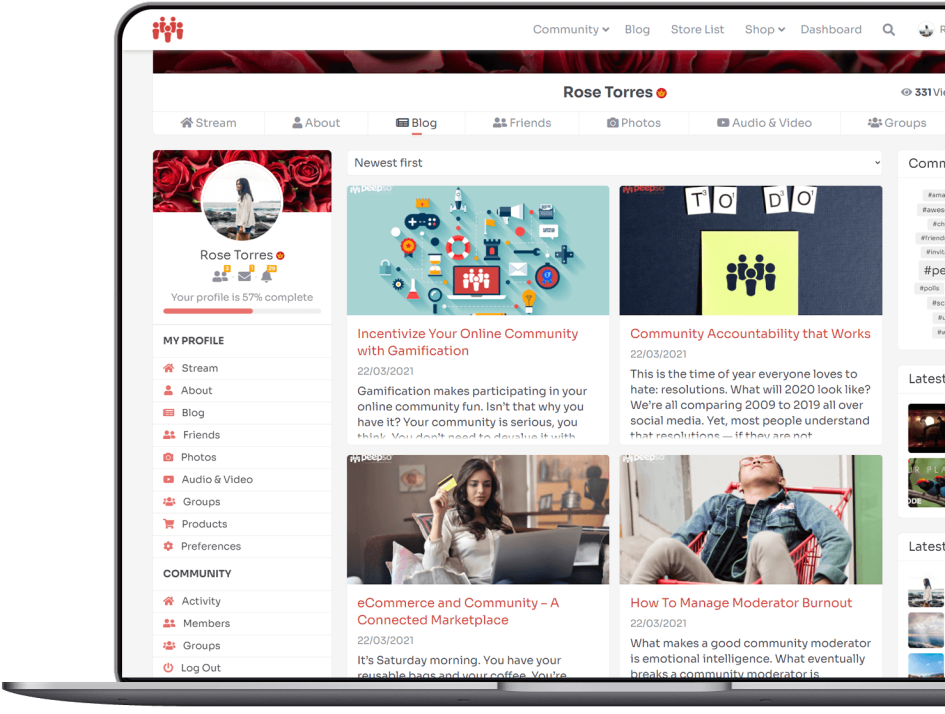
Integrate your Blog with your Community. Add Blog Posts tab to user profiles, featuring blog entries created by your community members. Automatically create a new PeepSo activity stream post. It is also capable of creating a PeepSo activity stream item each time a new WordPress post is published. This includes regular blog posts. CPTs (custom post types) are not supported at this time, although they can be easily added with custom code.
An activity stream item is created only once, no matter how many times you re-publish the related item. This does not include the ability to create blog posts on the frontend. However, it does include integrations with a 3rd party plugins which allow doing it right from user profiles.
Markdown
This is a plugin that we have been looking forward to. We needed a way to easily and safely format text within our own community, so we could answer questions and provide well formatted answers at the same time.
It makes a big difference, especially when you have to deal with code snippets or at least put emphasis on certain parts of your post or comment. Get to know more about Markdown from our Community.
Polls
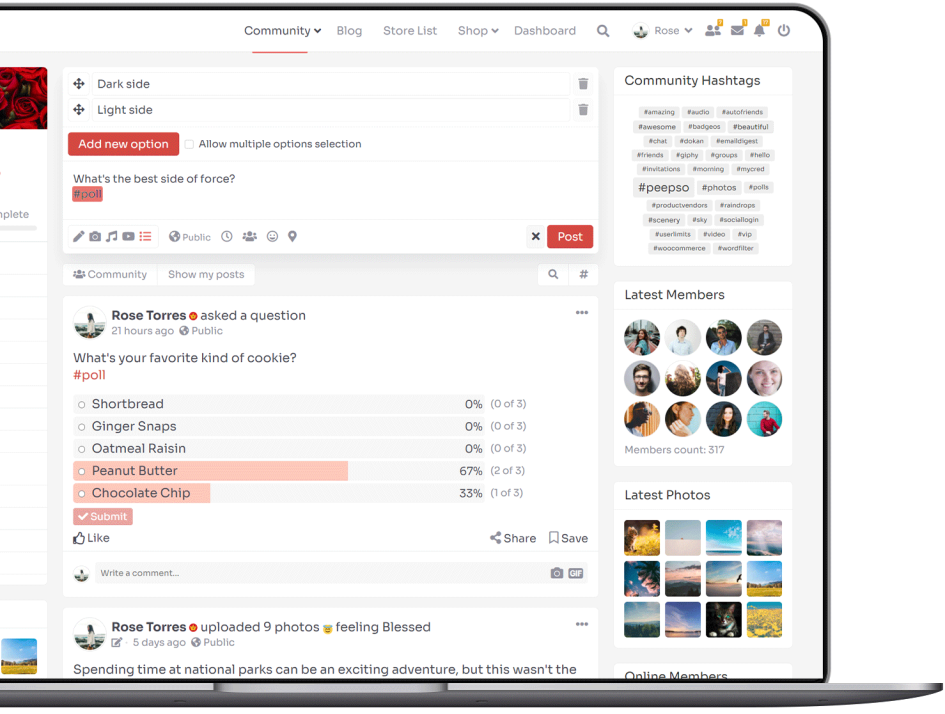
Post a question for others to vote on! Polls plugin allows you and your community to create polls in posts. Polls can be placed in the main activity stream, in users’ profiles and even in groups.
Users can cast their votes once per poll. The design is sleek and simple, and because it’s fully responsive, it looks great on mobile as well as on desktops. Logged out users can see polls in posts, but can’t vote or see the poll results. They are prompted to login so they could vote and see the results. With the use of User Limits plugin, you are able to decide which users can create Polls in your community.
WordFilter
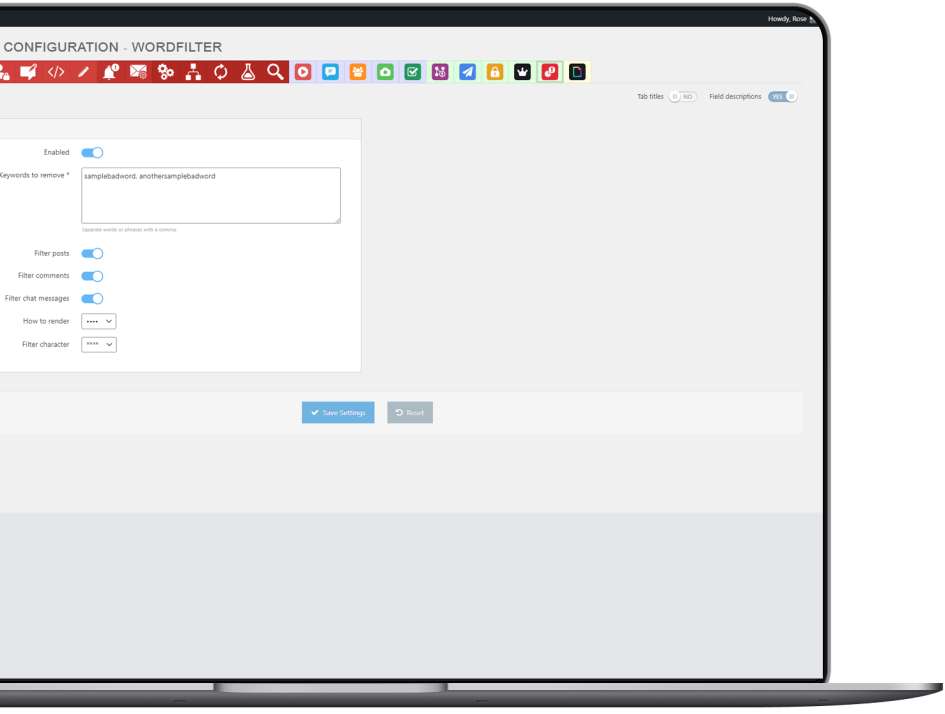
Filter out any kind of unwanted language. WordFilter plugin gives your community peace of mind. Whether your community has a young audience or you just don’t want to show any profanity in your community’s posts or comments, PeepSo – WordFilter plugin keeps your content family-friendly.
VIP
Assign custom badges to users. The VIP plugin lets you assign a special icon to users who deserve to stand out. This icon is displayed either before or after the user’s name on every membership list. You’ll be able to mark users as VIPs or as staff members, exactly as we do for moderators in our PeepSo Community.
This plugin is a part of PeepSo Core and is fully integrated into the Friends, Chat and Groups plugins. Wherever your community members are listed, the icon will appear alongside their name.
GIPHY Integration
Send GIPHY gifs in comments and chat. GIPHY is the best way to search, share, and discover GIFs on the Internet. Like other search engines, most of their content comes from indexing based on the best and most popular GIFs and search terms across the web.
Now the whole vast library of GIFs is available to your community. GIFs from GIPHY can be added to comments under posts, as well as shared via chat. It’s a great way to react to a post or a message.
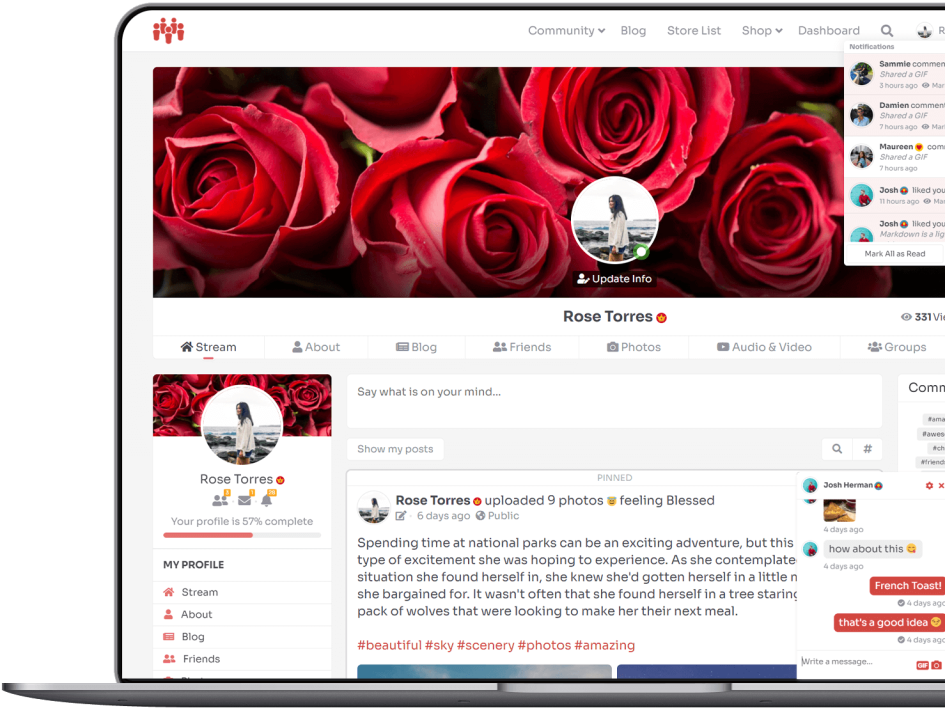
Live On-site and Email Notifications
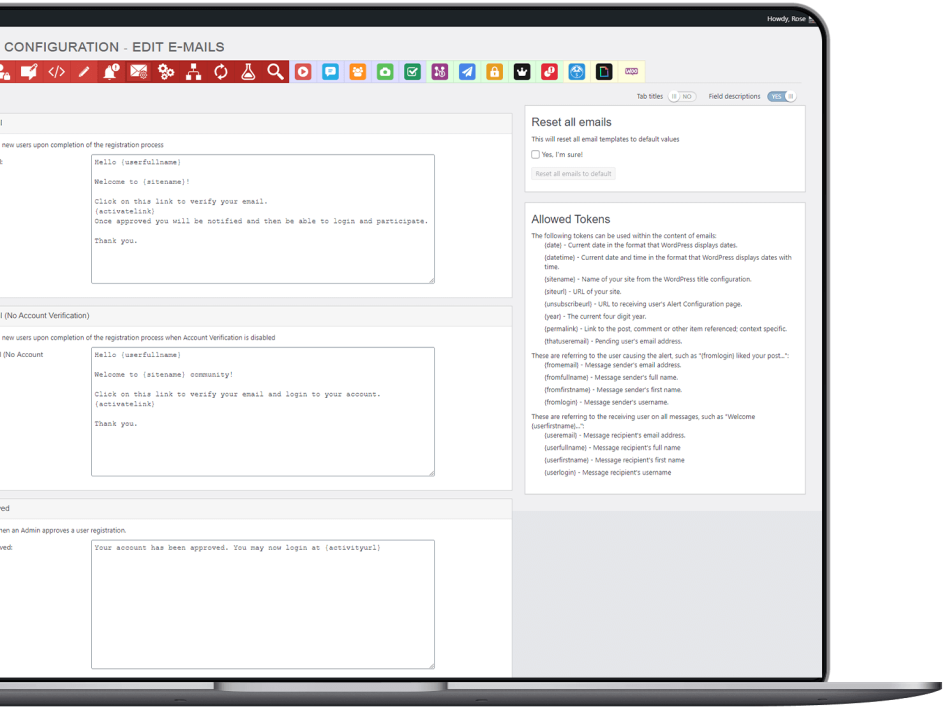
Other Email Notifications
Widgets
PeepSo Profile
Shows user’s notifications, avatar, profile and community navigation.
Online Members
Shows members who are online at the moment.
Latest Members
Shows newest community members and displays their avatars.
UserBar
Shows user’s name, navigation and notifications anywhere on the site.
Hashtags
It shows a tag cloud of the most used hashtags in posts throughout the entire community. The widget has 3 display options with various sorting methods.
INTUITIVE SETTINGS
PeepSo Backend
Dashboard
Dashboard with an Overview of Your Community and statistics.
Coherent configuration
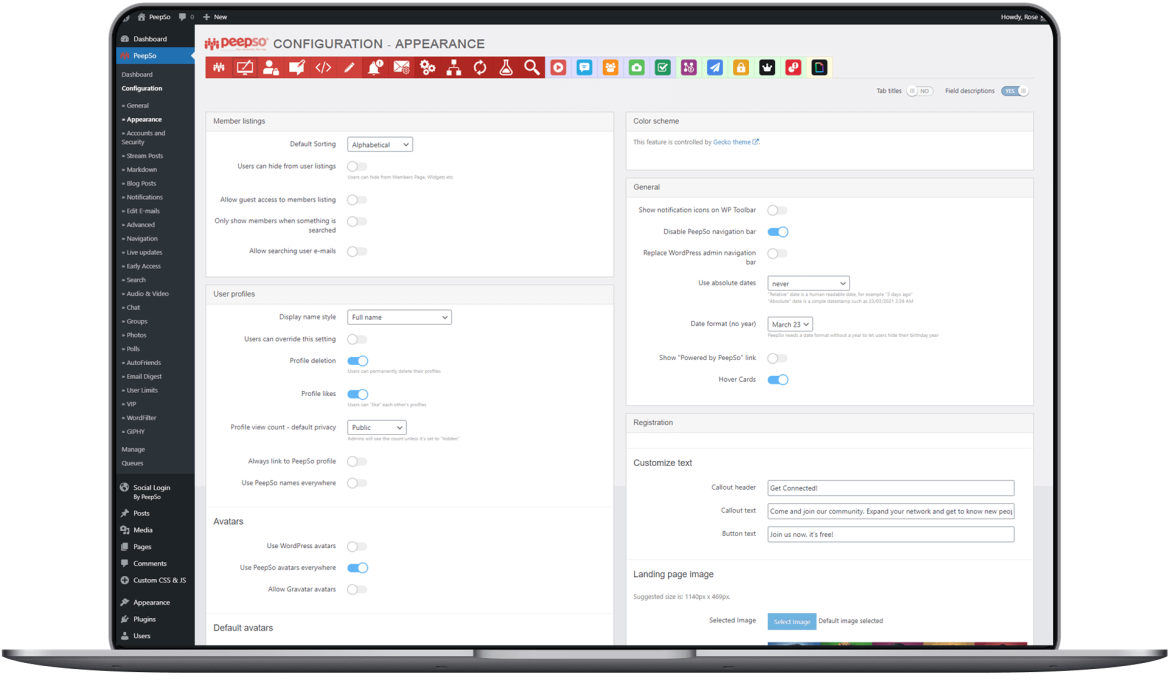
PeepSo has extensive and coherent configuration. No programming knowledge is required.
Mailqueue
See what emails are sent. Configure intervals and batches of emails to be sent.
Appearance Configuration
Pick from dozens of appearance customization options to personalize the look and feel of your community.
Navigation
Configure your entire community navigation from one place.
Read more
Set the length of posts and comments after which ‘read more’ link should be shown.
Activity Overview
Admins see the overview of all activity posts in the community.
Terms And Conditions
Built-in setting for Terms and Conditions that need to be accepted upon registration.
Privacy Policy
Option for setting Privacy Policy that needs to be accepted upon registration.
Other features
Connect
Groups
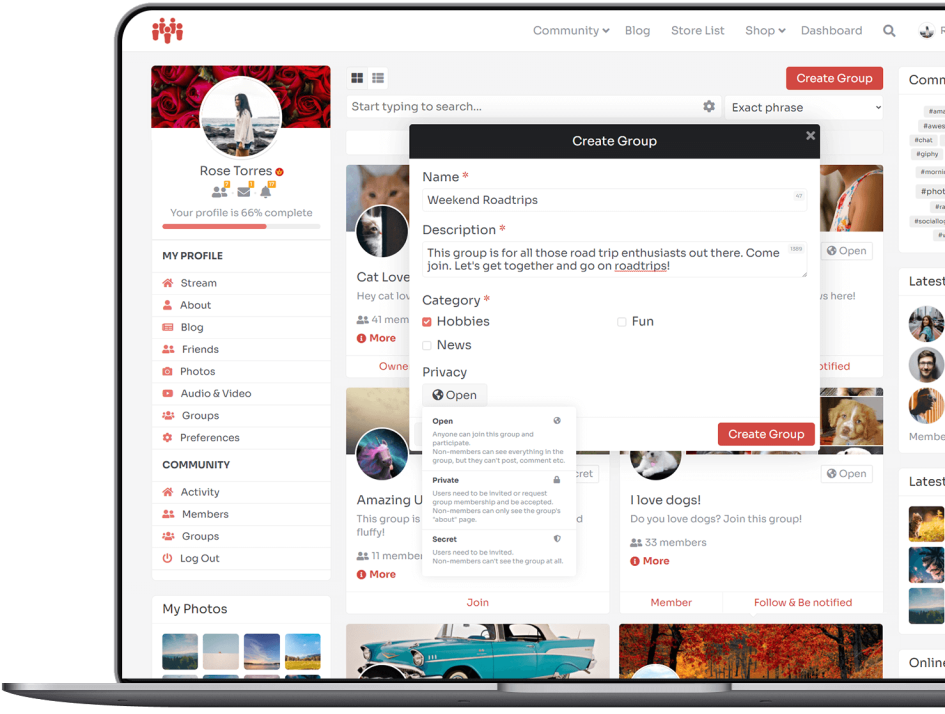
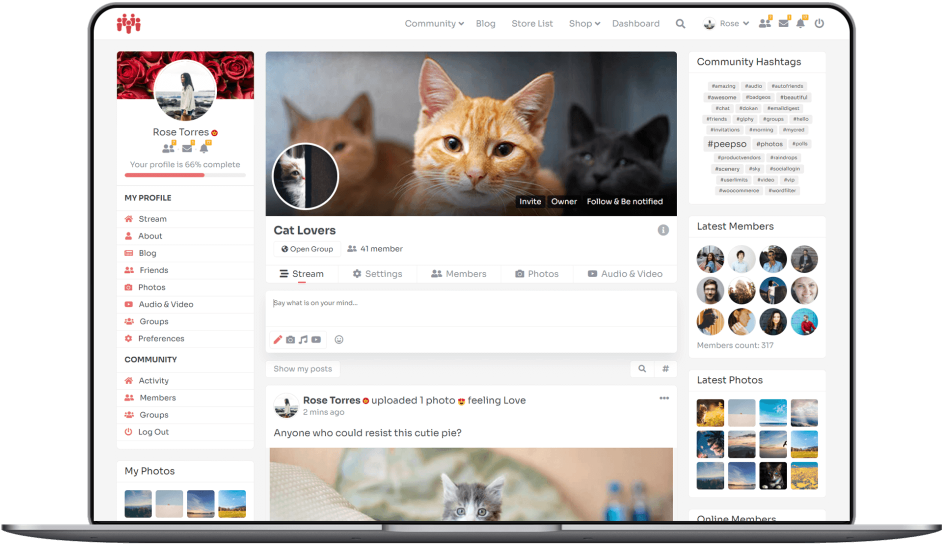
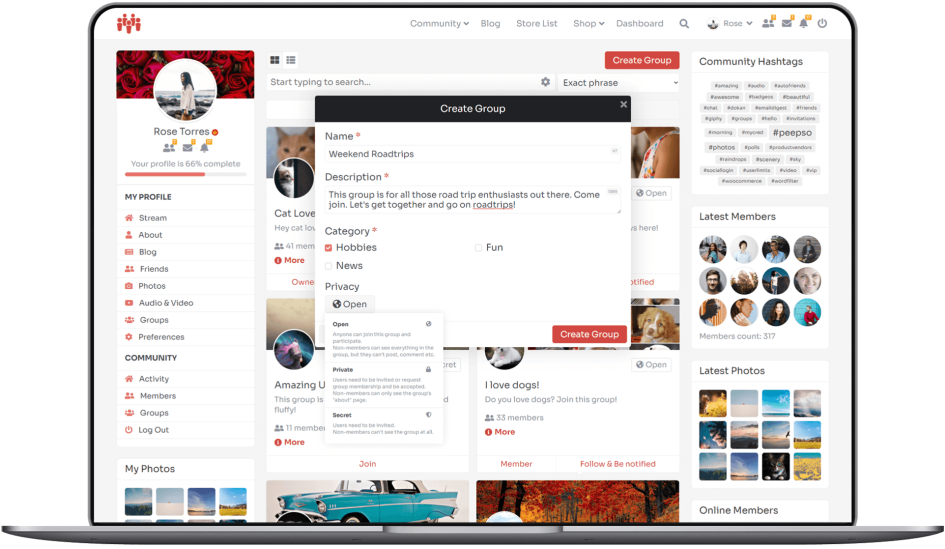
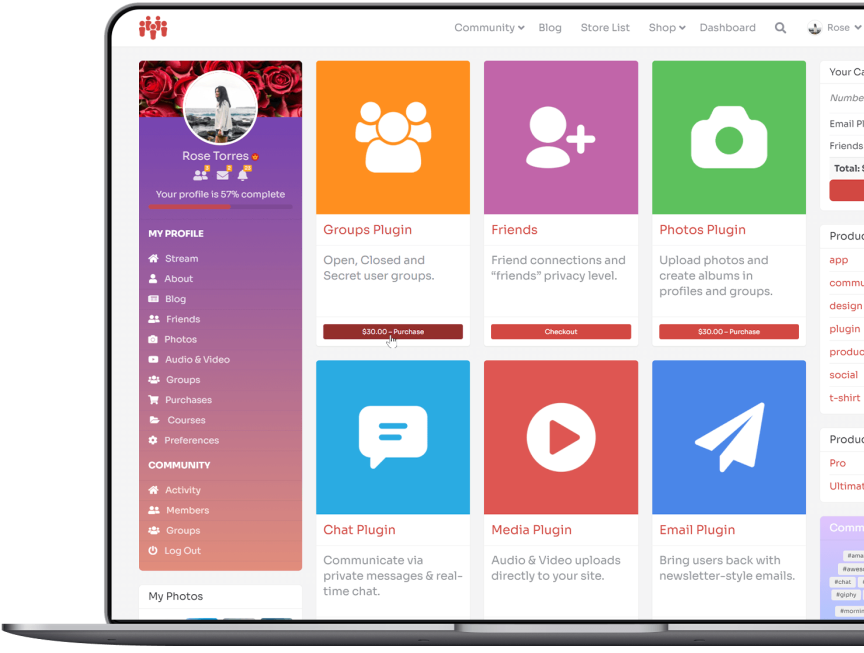
Open, Closed and Secret user groups. Groups plugin lets your community create and participate within more defined group discussions. Communities, especially those revolving around a general topic, require groups as a very useful tool. They allow your users to focus on a particular thing. This plugin also comes with a possibility of creating announcement groups where only group owners can create new posts.
Get Groups plugin in one of our bundles
Create your perfect community. Just the way you always wanted to.
PeepSo and its plugins make it So Easy.
Chat
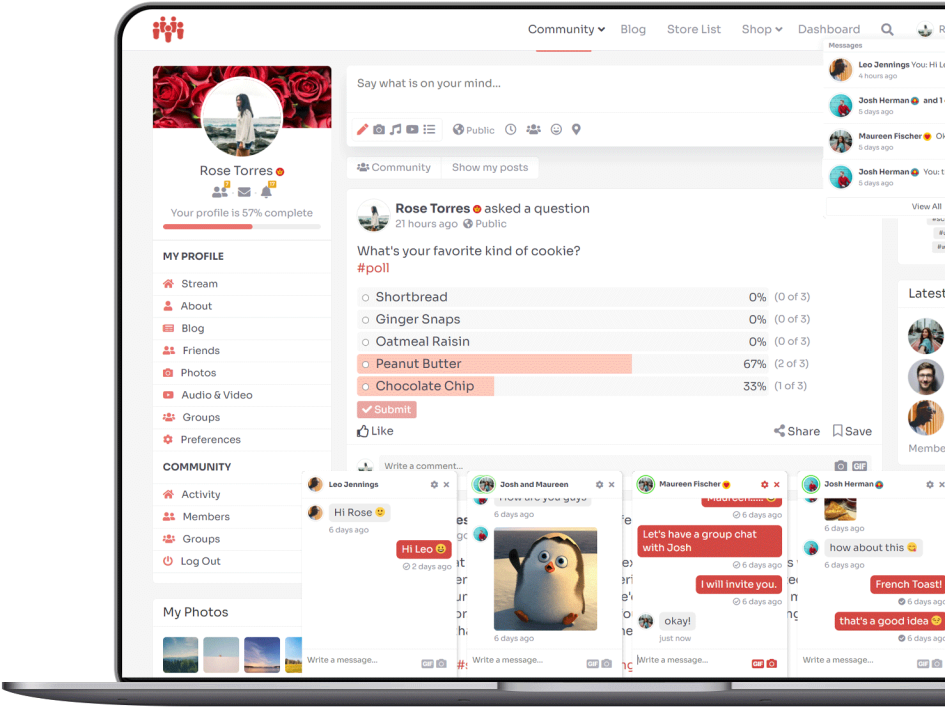
Communicate via private messages & real-time chat. Every community needs a convenient way for members to message each other privately. This plugin adds private messaging and also the possibility to create private group messages between many members.
Get Chat plugin in one of our bundles
Create your perfect community. Just the way you always wanted to.
PeepSo and its plugins make it So Easy.
Friends
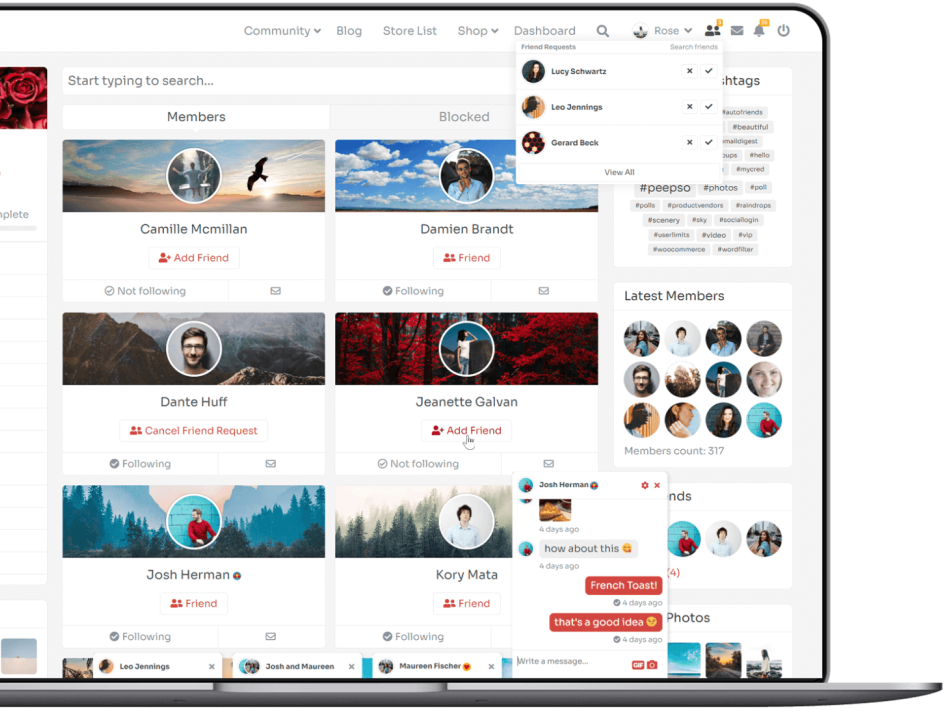
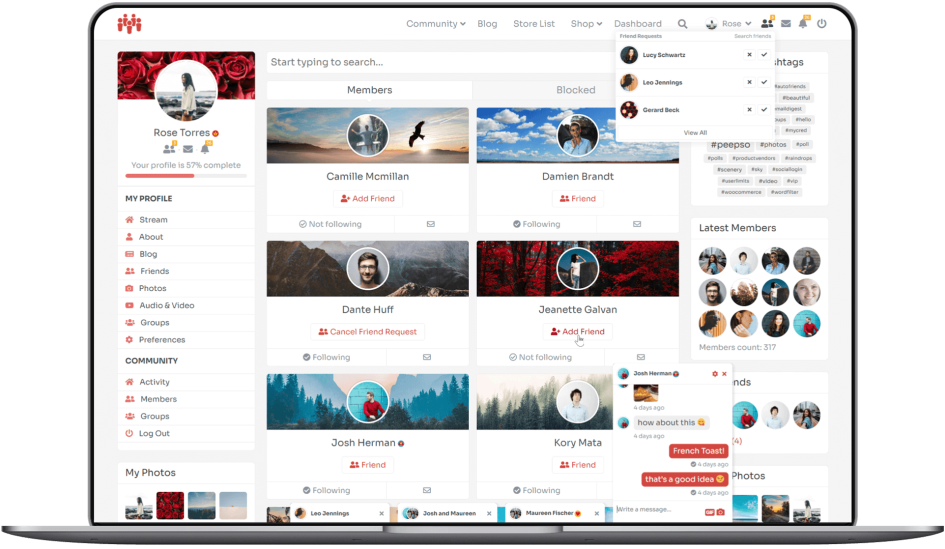
Friend connections and “friends” privacy level. Creating connections is at the core of every community. Friends plugin lets your members add friends, accept or decline friend requests, and set their post privacy to “Friends Only.” It’s essential! Friendship relationships are what keeps people coming back to the community.
Get Friends plugin in one of our bundles
Create your perfect community. Just the way you always wanted to.
PeepSo and its plugins make it So Easy.
Multimedia
Photos
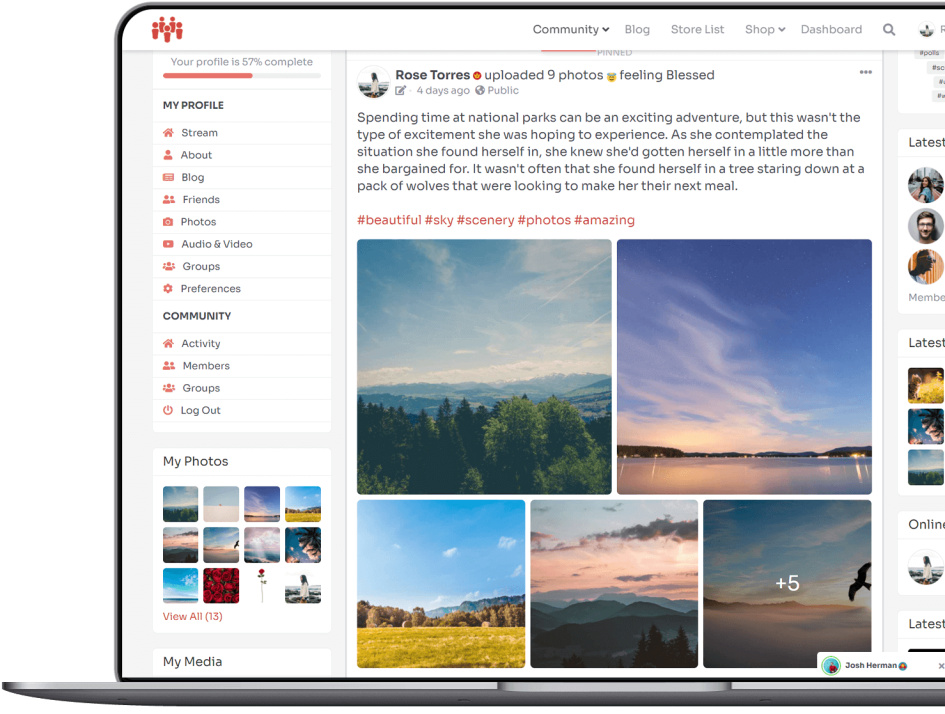
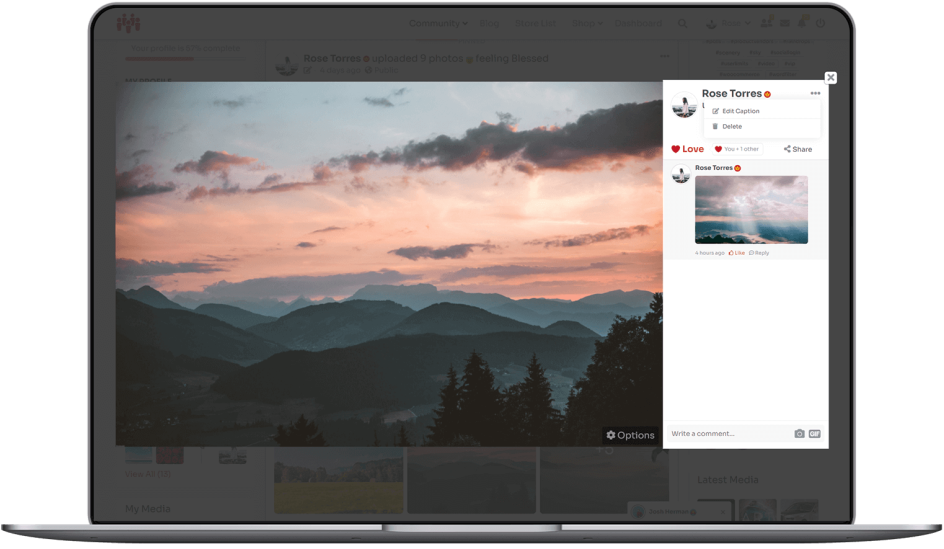
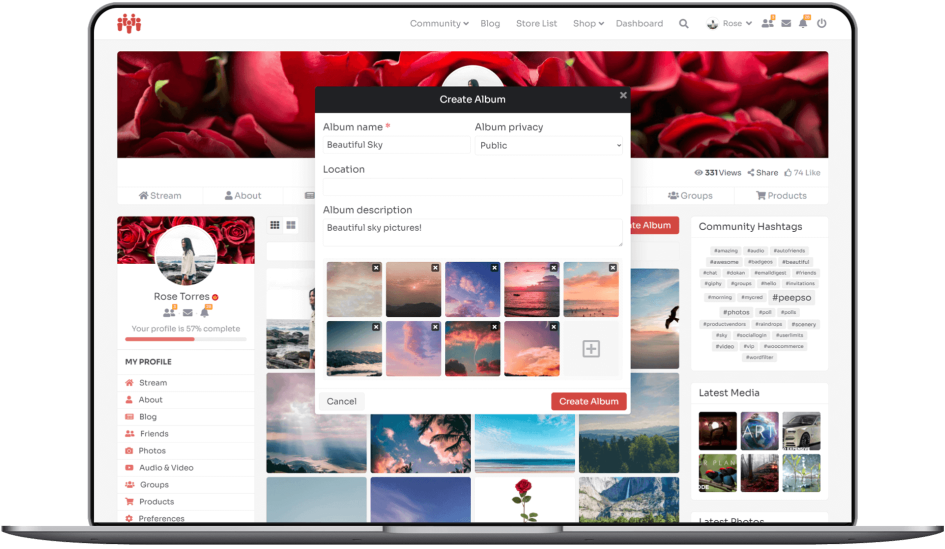
Upload photos and create albums in profiles and groups. Photos is a must-have plugin that lets members upload images to the Stream, Groups, Messages and Chat. It invigorates communities with pictures that people love to see and share. When clicked, the photos open in a beautiful theatre view window, allowing members to comment, react and show them to their friends.
The plugin also adds a Photos tab to profile pages and to Groups. It comes with 2 widgets: My Photos and Community Photos that admins can place anywhere. Profile Photo Albums, Groups Photo Albums, GIF support and much more!
Get Photos plugin in one of our bundles
Create your perfect community. Just the way you always wanted to.
PeepSo and its plugins make it So Easy.
Audio & Video
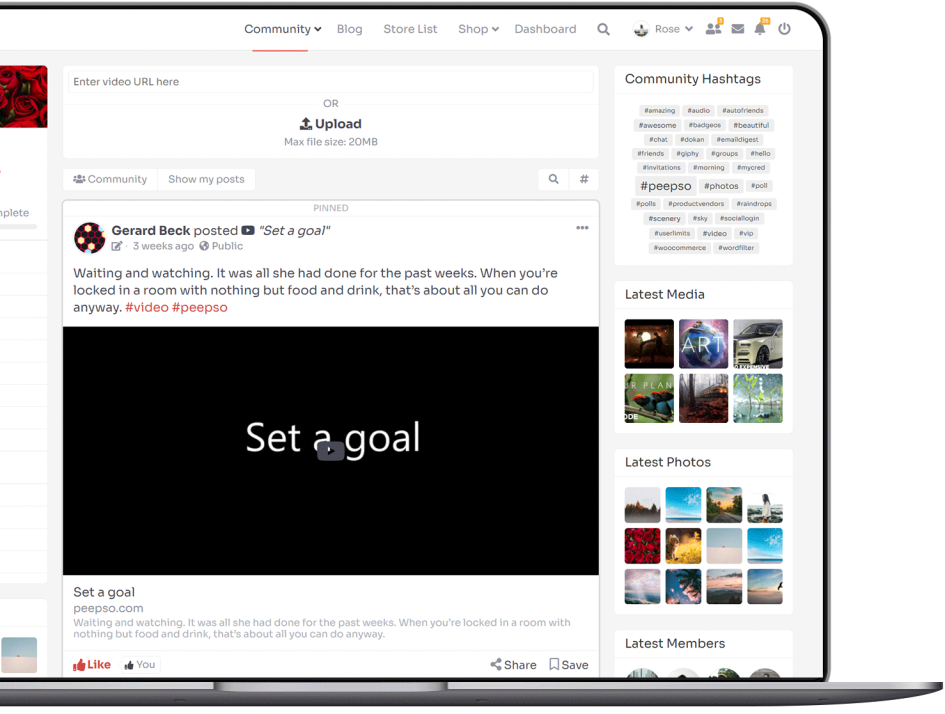
Audio & Video uploads directly to your site. You can also link videos from WordPress supported providers such as YouTube, Vimeo etc.
The videos show in a theatre view for easy and comfortable viewing experience. Videos can also play inline within posts.
Audio files come with artwork, if available, via built-in last.fm integration.
Members can comment on, react to and share the videos, generating engagement and interaction.
Full support for live streaming via YouTube and other supported providers. Just copy the link to your live stream and post it in PeepSo video sharing feature in postbox, and you’re done.
The plugin puts Audio & Video tab on profile pages and within Groups (Groups plugin required), and it displays all the videos members have uploaded. It also comes with widgets showing user content and community-wide video content: My Media and Community Media.
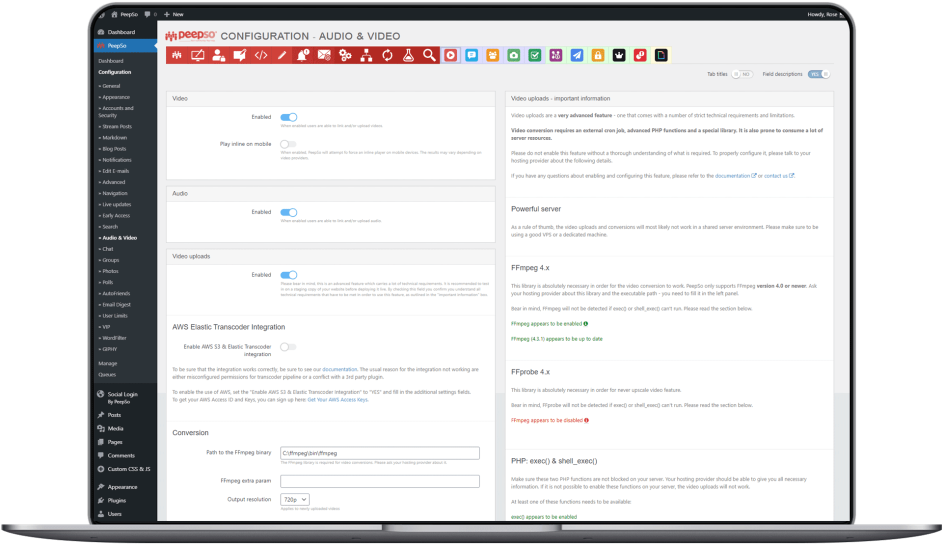
Please note: Video uploads feature is very resource consuming and is not supported on shared hosting or VPS environments. You will need a very powerful server and most likely a dev ops / system administrator on staff. Please see the documentation for details.

Get Audio & Video plugin in one of our bundles
Create your perfect community. Just the way you always wanted to.
PeepSo and its plugins make it So Easy.
File Uploads
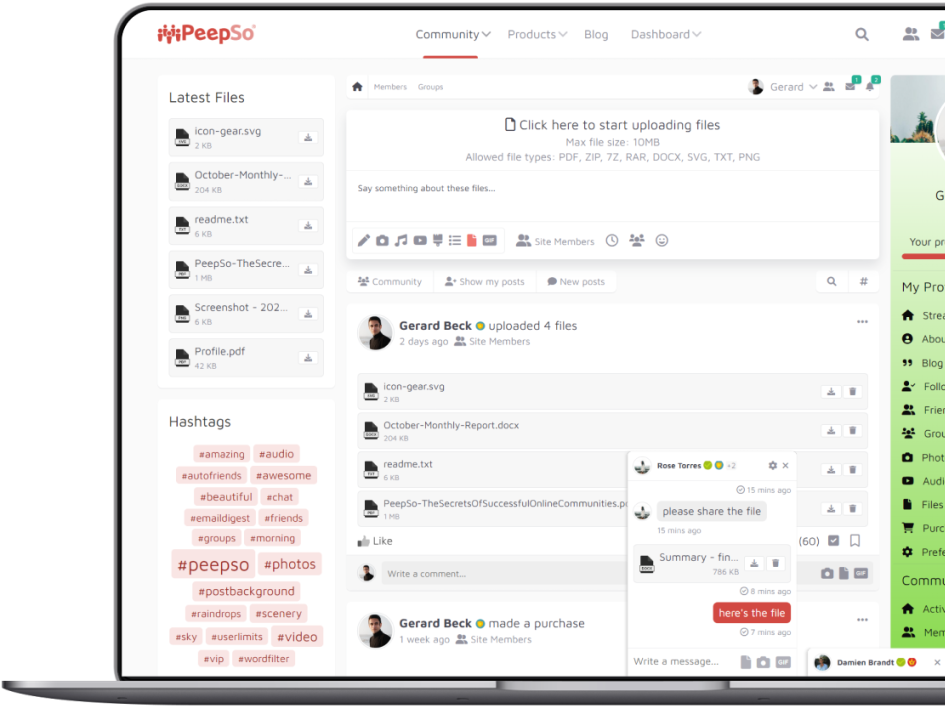
Upload files from your computer or a phone, directly to PeepSo Community!
File Uploads plugin allows your users to upload any type of files that you as admin allow. It doesn’t only have to be media files; you can allow upload of PDF, TXT, ZIP, DOCX, PSD, or basically any file type in the known universe.
Files can be uploaded in chat, groups and even in comments. Alongside file types, you can choose the allowed size of files and the allotted space for users, limit the number of files that users can upload daily, as well as determine which users are allowed to upload files to the community.
Get File Uploads Integration in one of our bundles
Create your perfect community. Just the way you always wanted to.
PeepSo and its plugins make it So Easy.
Mobile App Integration with MobiLoud
Your Community. Your Way.
At your fingertips.
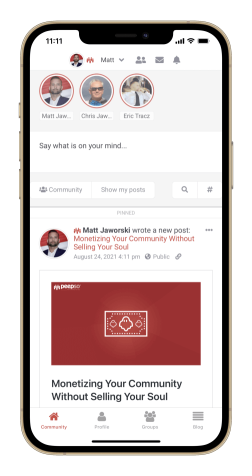
PeepSo Community is an app built with our latest plugin:
PeepSo Integrations: Mobile App.
It uses a MobiLoud wrapper, which is our official recommendation.
To use a different device visit PeepSo.app or scan the QR code:

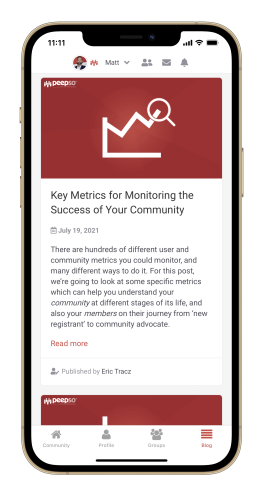
Build and test your own app
Future app plans
Social Login – Done!
Starting with PeepSo 4, PeepSo Social Login enables login with Apple, and the ability for users to disconnect from the social provider and create a password instead. This lets our apps become compatible with App Store policies.
Push Notifications
The app currently does not support push notifications; however, we are working on a big overhaul of our notification engine to enable this feature in the future.
Paid Accounts & Access Control
User Limits
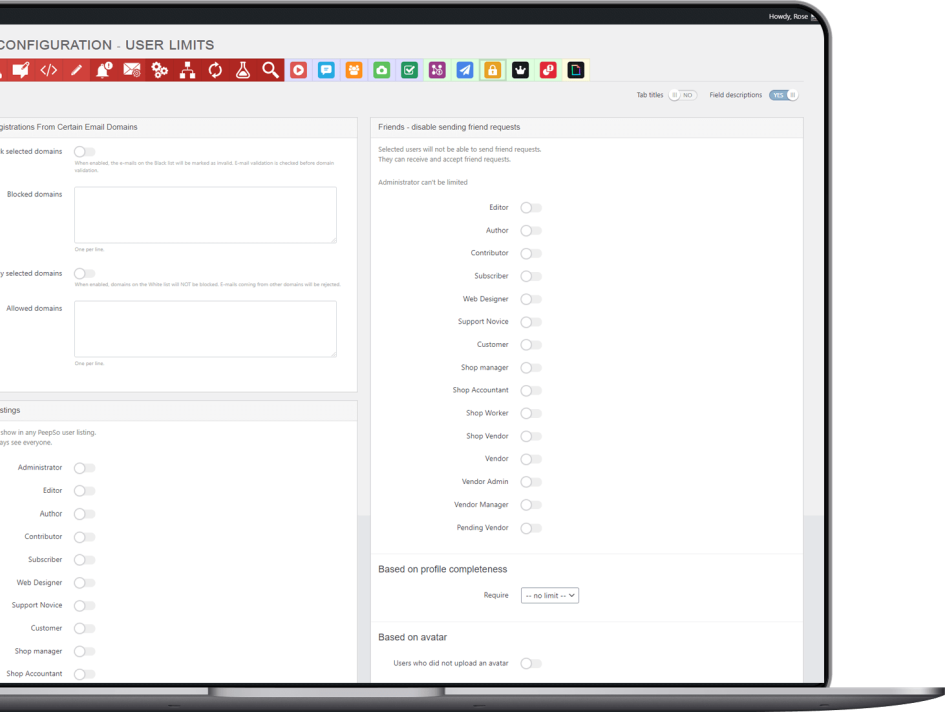
Granular control over user actions. Take better control of your community! This plugin lets you restrict user access to selected abilities, based on their role and/or required percentage of profile completeness, and/or required custom avatar upload.
Get User Limits plugin in one of our bundles
Create your perfect community. Just the way you always wanted to.
PeepSo and its plugins make it So Easy.
Paid Memberships Pro Integration
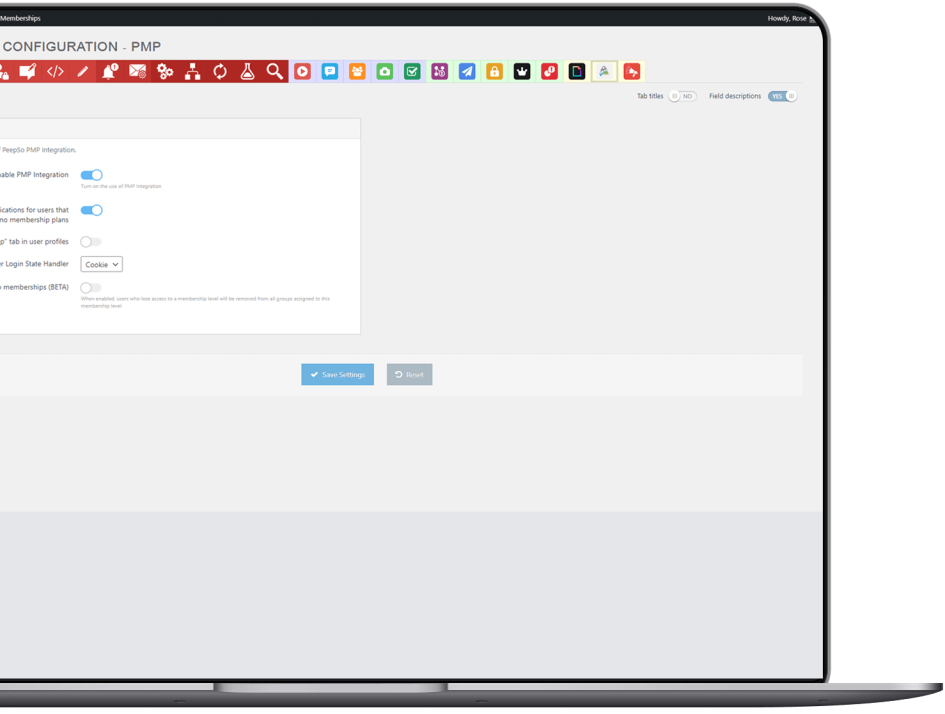
Paid community memberships. This plugin integrates the Paid Memberships Pro plugin into PeepSo’s registration and navigation, giving users a seamless registration experience. On registration, members are offered a list of membership plans. The plans are configurable via PMP plugin settings, just like membership pages.
Once members have chosen their plan, they can complete their registration and confirm their email address. Then they can log in. Admin can also choose to display a link to the PMP membership page as a sub-menu of the profile menu on the PeepSo toolbar.
Set the desired access level on all pages containing PeepSo Shortcodes, except for the ‘Activity’, ‘Registration’ and ‘Password Recovery’ pages. You can also hide the activity stream from non-logged in users in PeepSo, keeping your community totally private. The focus of the plugin is on seamless navigation and a smooth registration experience for users. Registration and membership selection is now one easy step.
Get Paid Memberships Pro Integration plugin in one of our bundles
Create your perfect community. Just the way you always wanted to.
PeepSo and its plugins make it So Easy.
Ads & Classifieds
Advanced Ads Integration
Social Targeted Ads, Facebook Style.
Monetizing your community is a hard task. It requires a lot of time and dedication, and despite your efforts it often doesn’t work out the way you want it to. It can be dictated by various factors, so all in all, it’s not an easy task.
Advanced Ads Integration with PeepSo can make the monetizing process far simpler, and much more reliable than using any other means.
Ads on PeepSo Activity Stream
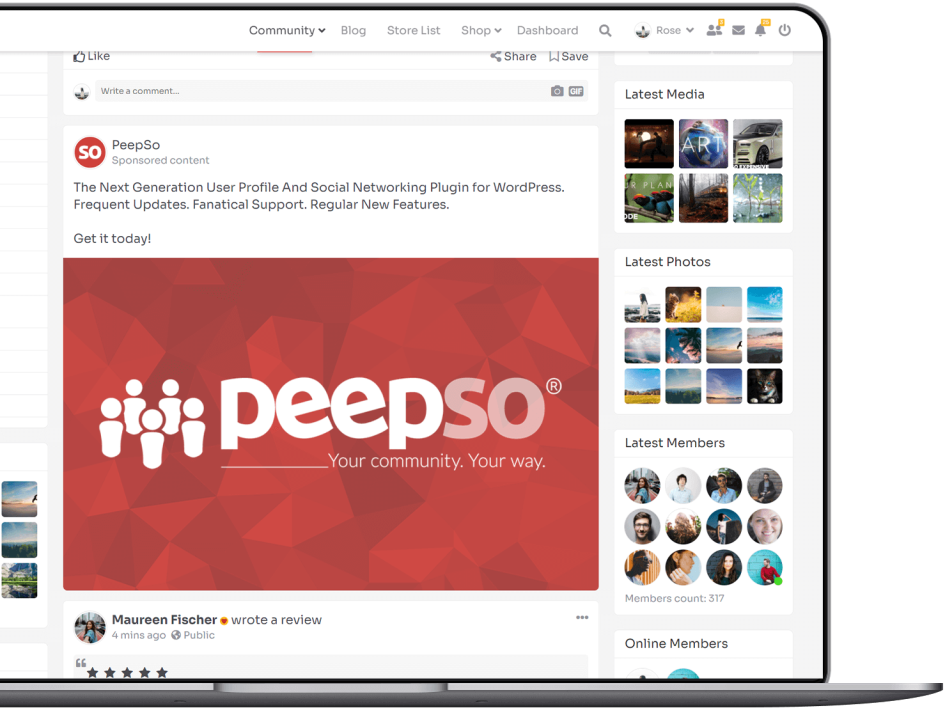
You can display all ad types (or ad groups) that come with Advanced Ads or Advanced Ads Pro on PeepSo Activity Stream. However, we’ve also added a PeepSo Ad Type so that it blends in with Your Community.
Community Users Ad Targeting
This integration extends Advanced Ads Visitor Conditions with ad targeting based on your users’ profile fields. Advanced Ads and Advanced Ads Pro plugins are amazing on their own, but now you can offer your advertisers the possibility of real social ads targeting within Your Community.
What Can You Target?
That depends on what plugins you have installed and activated. We’ll only cover this integration’s targeting options, but you should definitely check out all the possibilities of Advanced Ads Pro.
Get Advanced Ads Integration plugin in one of our bundles
Create your perfect community. Just the way you always wanted to.
PeepSo and its plugins make it So Easy.
WPAdverts Integration
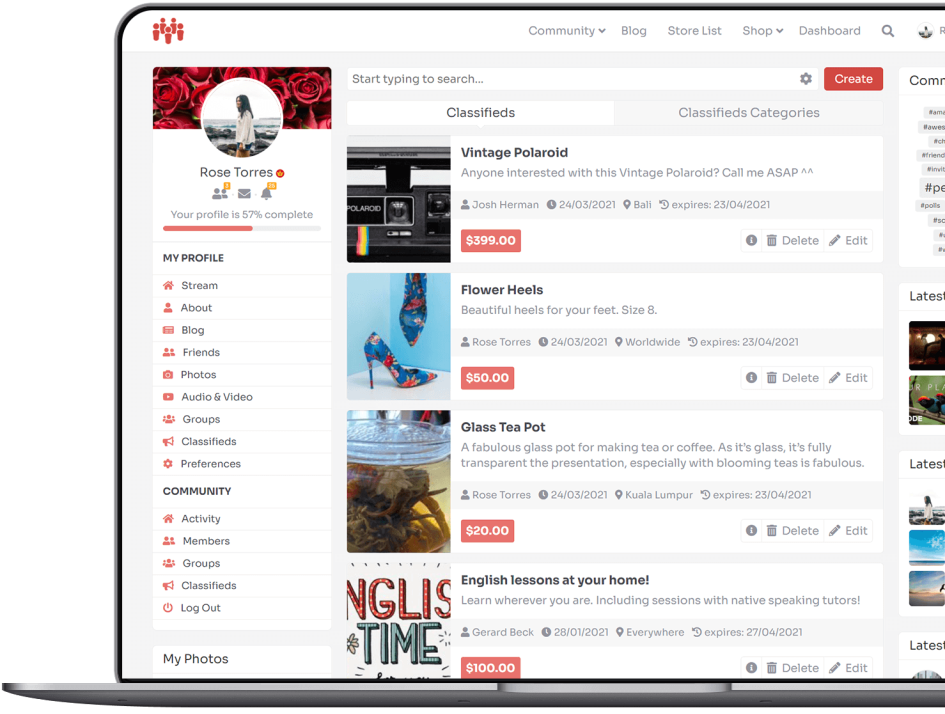
Monetize your community with paid ads.
WPAdverts is a lightweight plugin which allows you to build beautiful classifieds site in minutes.
Running a classifieds site alone can be challenging. However, adding classified ads to your existing Community can be a fantastic feat, because then you can have the best of both worlds.
All communities, and especially the ones revolving around specific topics, have the innate potential to be monetized by their admins. If you have a community revolving around a certain lifestyle, you can give them the chance to buy/sell their items that support or represent that lifestyle, tools and whatever else they might need, or want to acquire. You as a Community Admin can charge your members for providing the place where they can interactively post such ads, so everyone profits.
WPAdverts Integration plugin has been designed with a particular goal: seamless integration of classified ads within PeepSo Community. The design of ads and how they are displayed blends in fabulously with users’ profiles, ad posts on stream and wherever you wish to place them on your website.
This plugin requires at minimum both PeepSo Core and WPAdverts plugins to work.
Get WPAdverts Integration plugin in one of our bundles
Create your perfect community. Just the way you always wanted to.
PeepSo and its plugins make it So Easy.
E-Learning
LearnDash Integration
Get LearnDash Integration plugin in one of our bundles
Create your perfect community. Just the way you always wanted to.
PeepSo and its plugins make it So Easy.
TutorLMS Integration
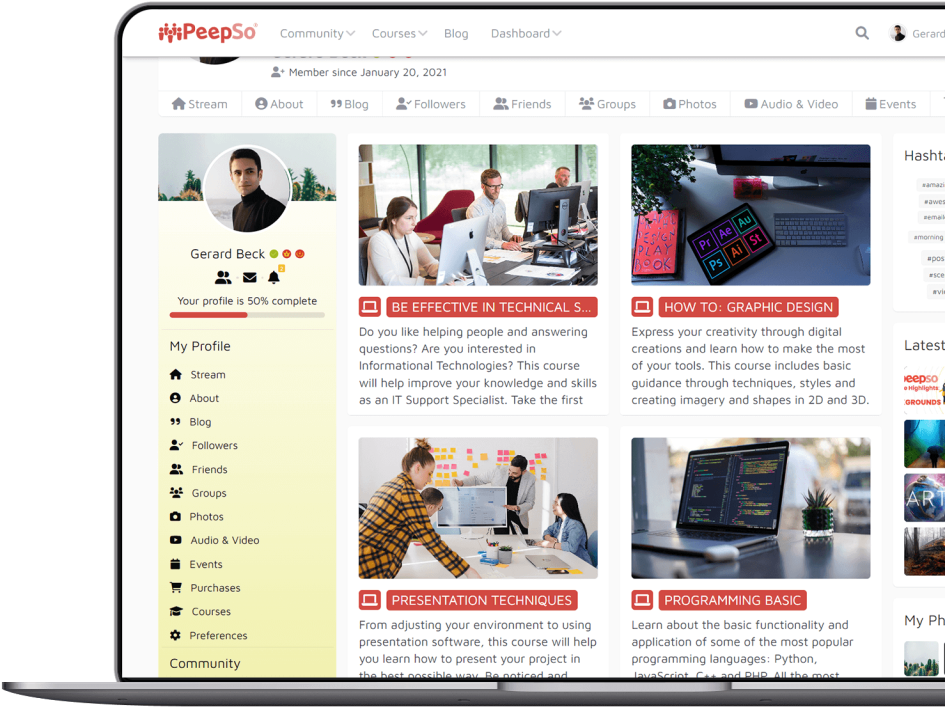
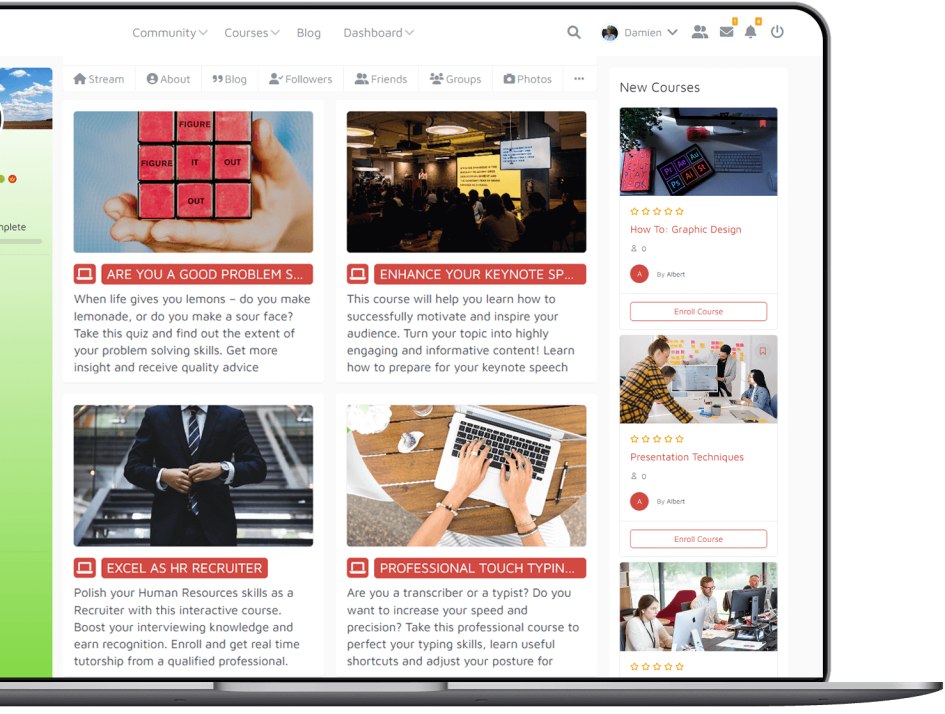
TutorLMS is a robust and feature-packed Learning Management System plugin for WordPress for creation and selling courses online. Our TutorLMS Integration plugin provides seamless integration with your PeepSo-powered community.
Get TutorLMS Integration in one of our bundles
Create your perfect community. Just the way you always wanted to.
PeepSo and its plugins make it So Easy.
E-Commerce
WooCommerce, Dokan and Product Vendors Integration
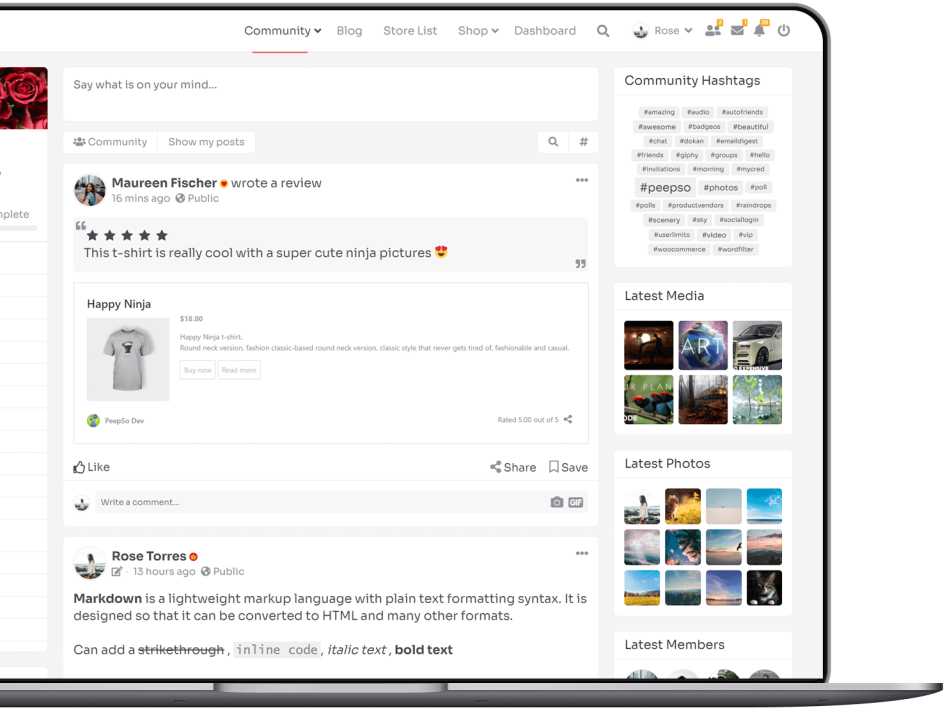
With this integration, you can successfully add the social spark to your existing Store – or create a store for your existing Community. It’s a fantastic way to monetize your site and make your business thrive.
When there is a topic, there is always demand for products directly related to it. Is your community revolving around motorbikes? Boost their engagement by selling them gear. Gaming? Sell them gaming accessories. Traveling? Sell them a boatload of stuff, from hiking equipment to actual trips. The world is your oyster and the sky is the limit.
Build brand loyalty, keep your clients closer, create that unique atmosphere that makes them come back to your site, and recommend your products to their friends and family.
Already got a community?
Fantastic! Now you can focus on increasing your revenue, to both ensure a steady stream of cash and keep Your Community happy.
This plugin comes with WooCommerce Product Vendors integration, which turns your store into a multi-vendor marketplace. You can assign existing products to vendors, or they can add and edit their own.
Get WooCommerce & Dokan Integration plugin in one of our bundles
Create your perfect community. Just the way you always wanted to.
PeepSo and its plugins make it So Easy.
Easy Digital Downloads Integration
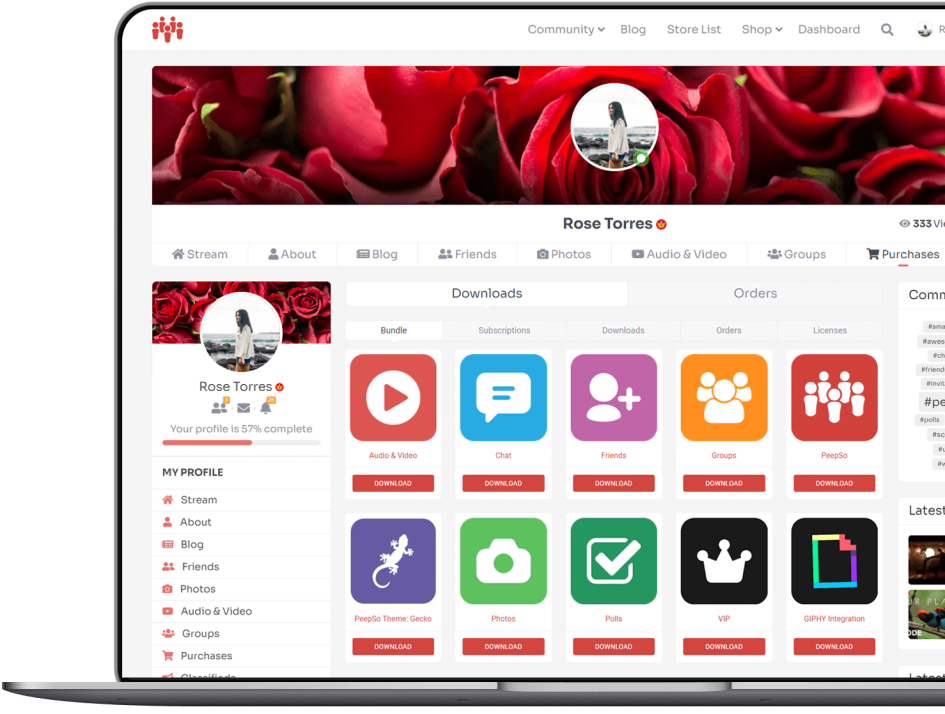
Easy Digital Downloads is a plugin which enables you to create your own online store and sell all sorts of digital goods. We can’t recommend it enough! We use it ourselves, we are more than happy with it and that is why we also want the best for You.
EDD itself comes with a vast array of features, so we took this opportunity and integrated PeepSo with a number of its addons: Software Licensing, Recurring Payments, All Access Pass, PDF Invoices.
This fantastic blend was born from our desire to make your community and online store work together in perfect harmony.
Get Easy Digital Downloads Integration plugin in one of our bundles
Create your perfect community. Just the way you always wanted to.
PeepSo and its plugins make it So Easy.
GiveWP Integration
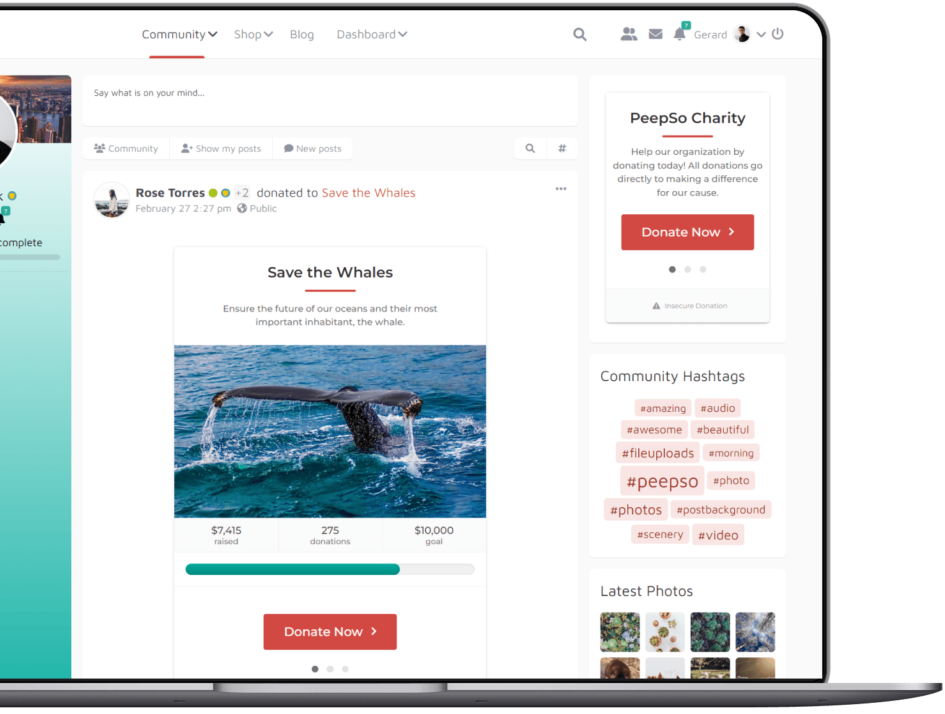
What better environment to start fundraising – than an online community? People will support each other where they gather around common interests, and a PeepSo-powered community is the perfect ground.
In order to help you get quality financial support in this manner, we provide an Integration with GiveWP as the highest rated, most downloaded and best supported donation plugin for WordPress.
Inspire your community with a fundraiser, engage them in a beneficial kickstarter, or invest in a cause. Let your users participate right there where it matters, instead of directing them to third party channels.
Get GiveWP Integration plugin in one of our bundles
Create your perfect community. Just the way you always wanted to.
PeepSo and its plugins make it So Easy.
User Boards
Almighty Support Integration
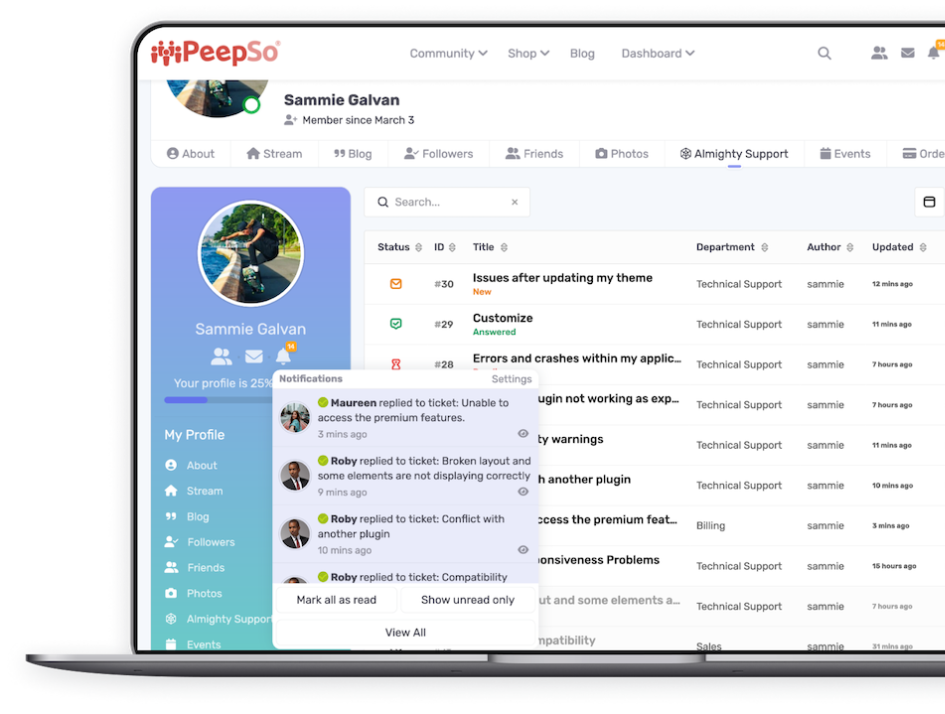
Almighty Support is arguably the best support platform for WordPress, given its simplicity, practicality and the amount of provided features. It is a product of PeepSo, Inc. and therefore our first-party integration, which will seamlessly enhance your PeepSo-powered community and delight both your users and representatives.
PeepSo Configuration enables the users’ profile tab and dynamic notifications. Users can submit tickets right inside their own profiles. Communication can flow on-site (real time), as well as via email. You can enable PeepSo notifications for the convenience of both users and support agents, and a smoother support process.
In most cases, the default backend setup of Almighty Support works out-of-the-box, although you are welcome and encouraged to customize your setup according to your business and site preferences.
Get Almighty Support Integration plugin in one of our bundles
Create your perfect community. Just the way you always wanted to.
PeepSo and its plugins make it So Easy.
WP Job Manager Integration
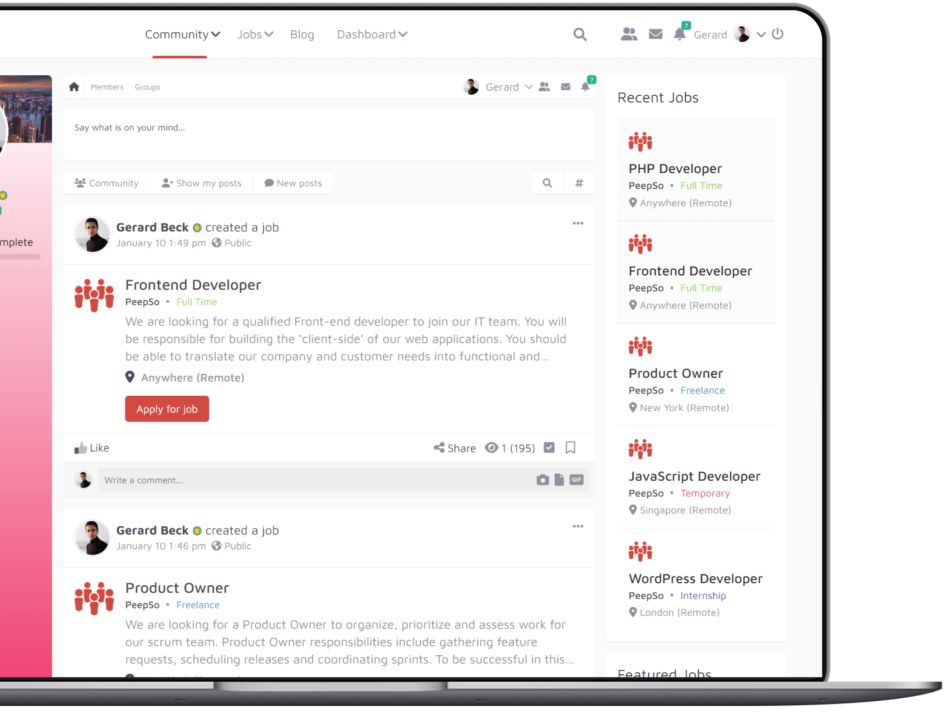
WP Job Manager is a lightweight, open source job board plugin for WordPress-based sites. Job hunting and posting jobs has never been easier within a Community setting, thanks to WP Job Manager plugin and its integration with PeepSo.
Now you can create job listings and enable your users to do so, with a multitude of customizations. Give the opportunity to your users to easily hire and be hired through the means of your own community, without resorting to third party sites.
Backend setup and navigation are extremely straightforward for the admin, and frontend forms provide everything users need. The implementation of a job board into your community is seamless and a beautiful, functional enhancement.
Get WP Job Manager Integration plugin in one of our bundles
Create your perfect community. Just the way you always wanted to.
PeepSo and its plugins make it So Easy.
IdeaPush Integration
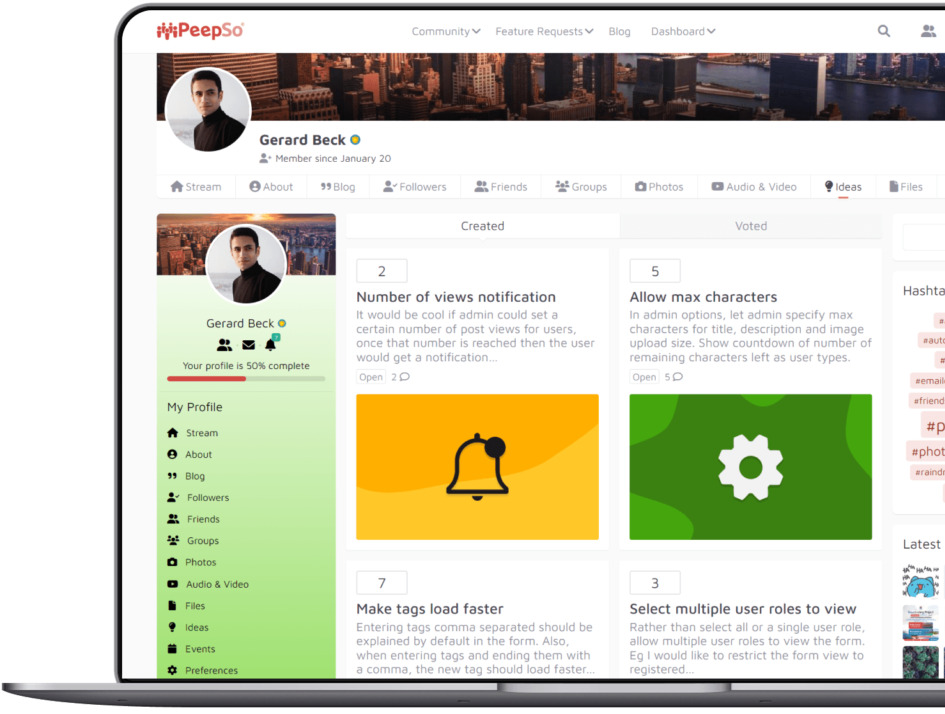
Community feedback is incredibly important for every bustling social network and business. Engage your users and make their opinions matter by providing an idea board, where they can voice their ideas and vote, contribute and actively participate in community building.
IdeaPush is a free WordPress plugin that provides an idea / request system for your users. You can also use it as a support triage system, or even as a feedback system for an important project or a product, the possibilities are many.
Seeing how it can be incredibly useful for every community, we’ve integrated IdeaPush with PeepSo to make the most of its benefits and provide smooth functioning in your PeepSo-powered community.
Get IdeaPush Integration plugin in one of our bundles
Create your perfect community. Just the way you always wanted to.
PeepSo and its plugins make it So Easy.
Social Login & Invitations
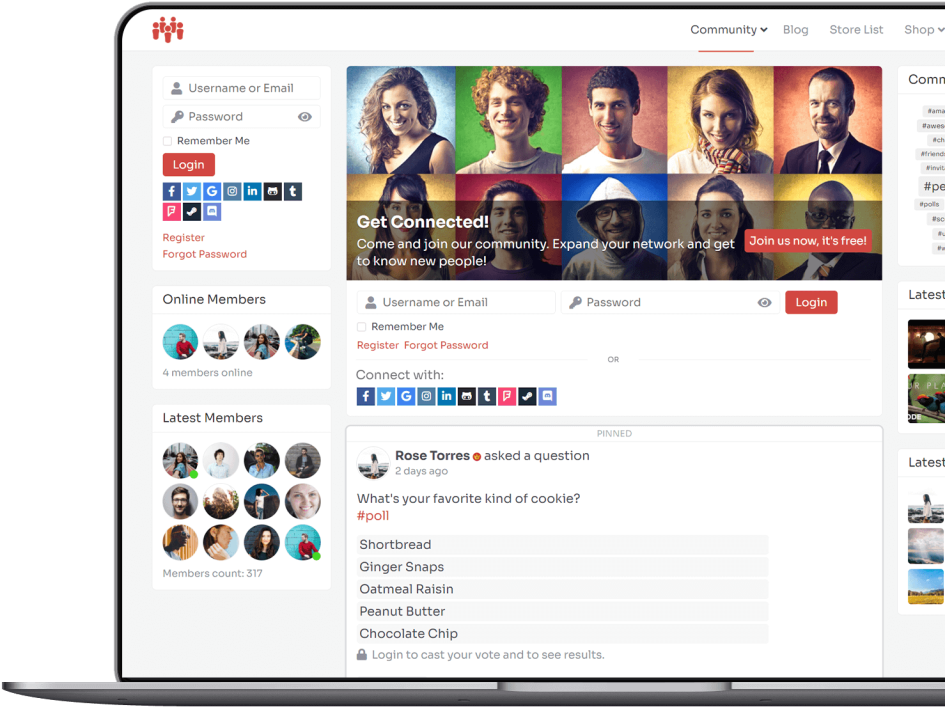
The Social Login plugin on its own does what it’s supposed to: provide your users with login options to your website from 3rd party services like Facebook, Twitter etc.
Comes with a built-in PeepSo Integration
This integration with PeepSo goes beyond just login ability. It also allows importing some user profile information like: Name, Last Name, Birth Date and avatar from providers who allow such imports.
Social Login plugin comes with its own widget which you can place anywhere on your site. Integration with PeepSo allows displaying social login options within PeepSo itself: PeepSo Profile Widget, Landing Page and Registration.
Social Invitations
This aspect of the plugin allows your members to invite their friends from other social networks to visit and join your site. It comes in a form of a widget which you can place anywhere you like in any widget position. You can also use a shortcode: [peepso_social_invite link=”https://PeepSo.com”] with the ‘link’ parameter to ensure the landing page for invitees. There’s also a Gutenberg Block that you can use.
Get Social Login & Invitations plugin in one of our bundles
Create your perfect community. Just the way you always wanted to.
PeepSo and its plugins make it So Easy.
Events
WP Event Manager Integration
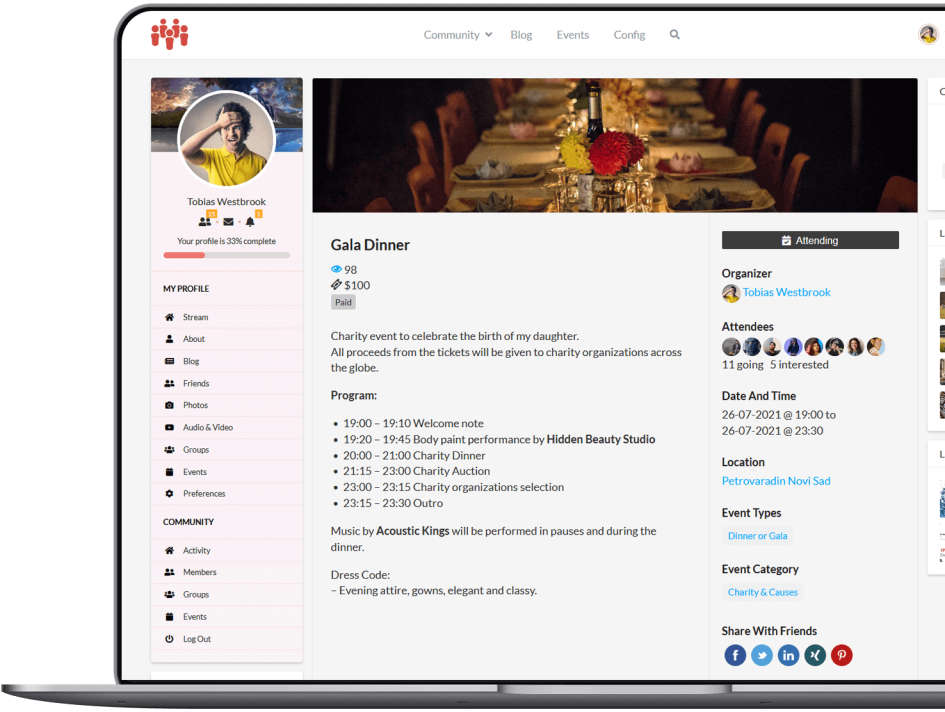
Powerful calendar solution to manage your events from frontend as well as backend. Featuring a full profile integration and custom tailored RSVP system, all tied with PeepSo stream and notifications.
Get WP Event Manager Integration plugin in one of our bundles
Create your perfect community. Just the way you always wanted to.
PeepSo and its plugins make it So Easy.
Points & Rewards
BadgeOS Integration
Achievement system for community engagement.
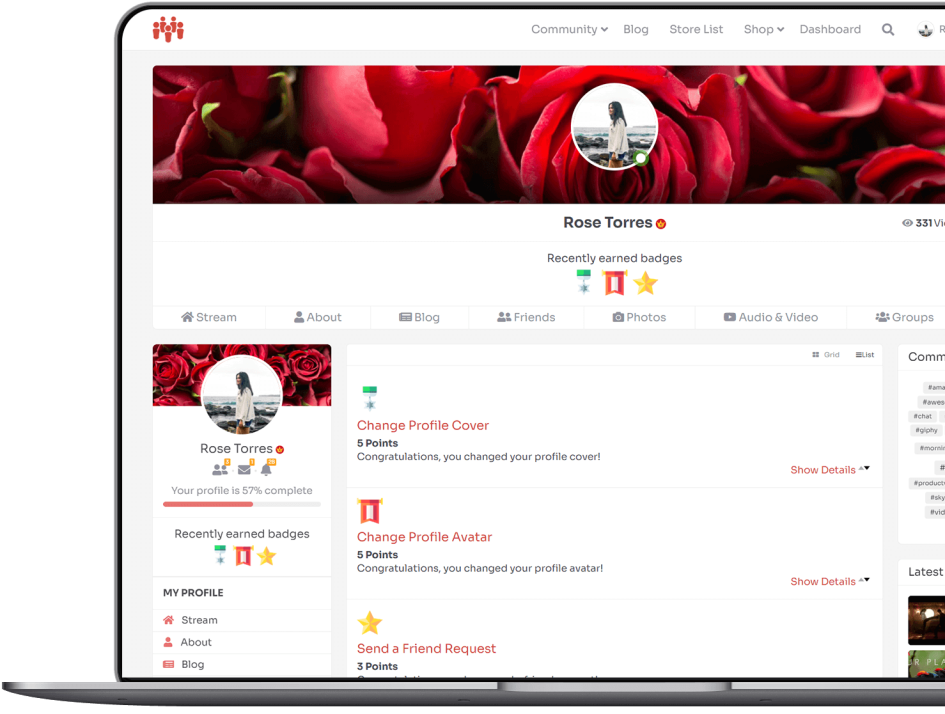
BadgeOS Integration Plugin lets users earn badges for their community engagement. These badges, or achievements if you will, are displayed in users’ profiles. When a badge is earned, a corresponding activity post is created on PeepSo stream to congratulate the user on earning a badge.
The plugin displays badges that can be earned by performing activities available by default in BadgeOS. It also extends BadgeOS’ possibilities by adding PeepSo Community Engagement Actions; that means users can earn badges by performing additional activities in your community.
Which actions are available depends on which PeepSo plugins you have installed and activated. Available actions are divided into groups: each group name is the name of the corresponding PeepSo plugin that is required for them to work.
Get BadgeOS Integration plugin in one of our bundles
Create your perfect community. Just the way you always wanted to.
PeepSo and its plugins make it So Easy.
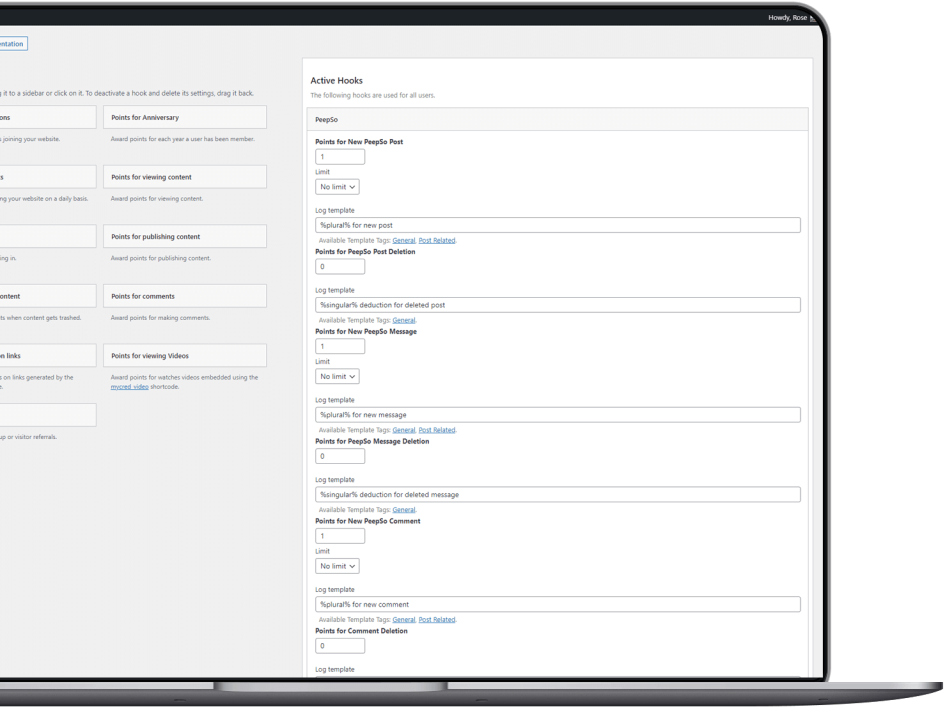
myCRED Integration
Users can earn points for community engagement.
myCRED plugin awards users with points for certain actions performed on your website.
To expand on this possibility, PeepSo – myCRED Integration Plugin adds a bunch of new hooks for PeepSo-related actions. Your users can gain or lose points for any of these actions. Their points can be displayed in their profiles, under the cover image.
So, what do these points do?
Actually, that is entirely up to You. The myCRED plugin, which is required for this integration to work, has a range of addons that allow users to buy points and spend them on content and other purchases. It adds a new, exciting feature for your users to keep them engaged and motivated.
Get myCRED Integration plugin in one of our bundles
Create your perfect community. Just the way you always wanted to.
PeepSo and its plugins make it So Easy.
Keep In Touch
Email Digest
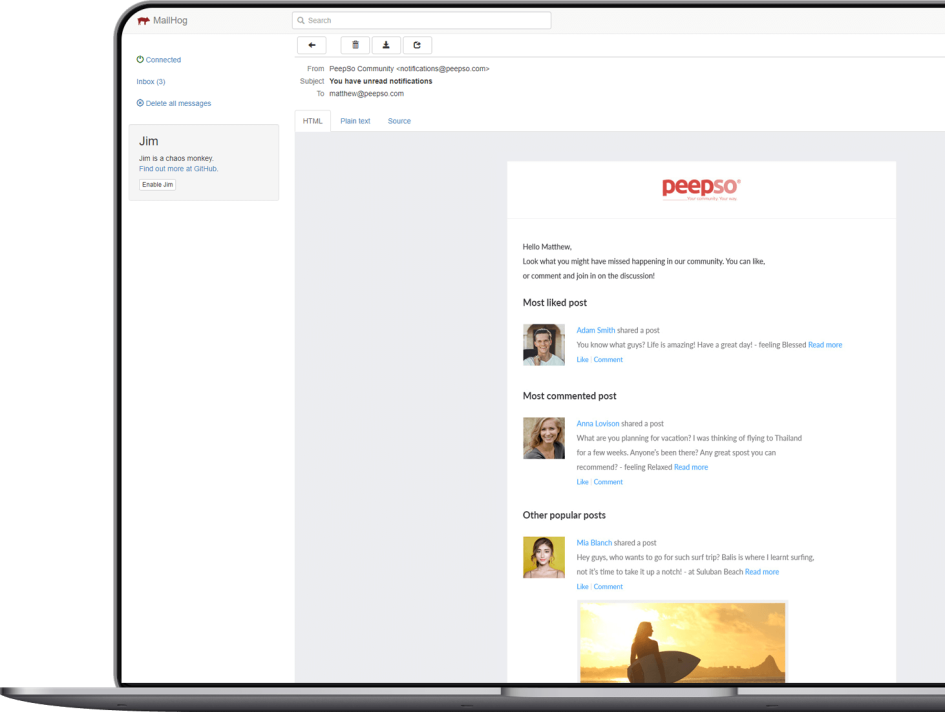
Reinforce users’ interest with newsletter-style emails.
Newsletter emails are intended to bring users back to the community and to build engagement through enticing content. It only sends those emails to users who haven’t logged in during a period specified by the admin, so it won’t bother active members; it will only show inactive members what they’ve been missing.
The plugin automatically sends those members a summary of the most engaging posts in the community, the posts with the most likes and largest number of comments. Admins can define the duration of the users’ inactivity and set the number of posts to include in the digest.
Get Email Digest plugin in one of our bundles
Discounted Price. All Current PeepSo Plugins. All Future PeepSo Plugins. Single License Key. Single Purchase. Single Subscription. Full Technical Support. Upgrades. Updates.
OUR BELOVED WORDPRESS THEME
Gecko Theme
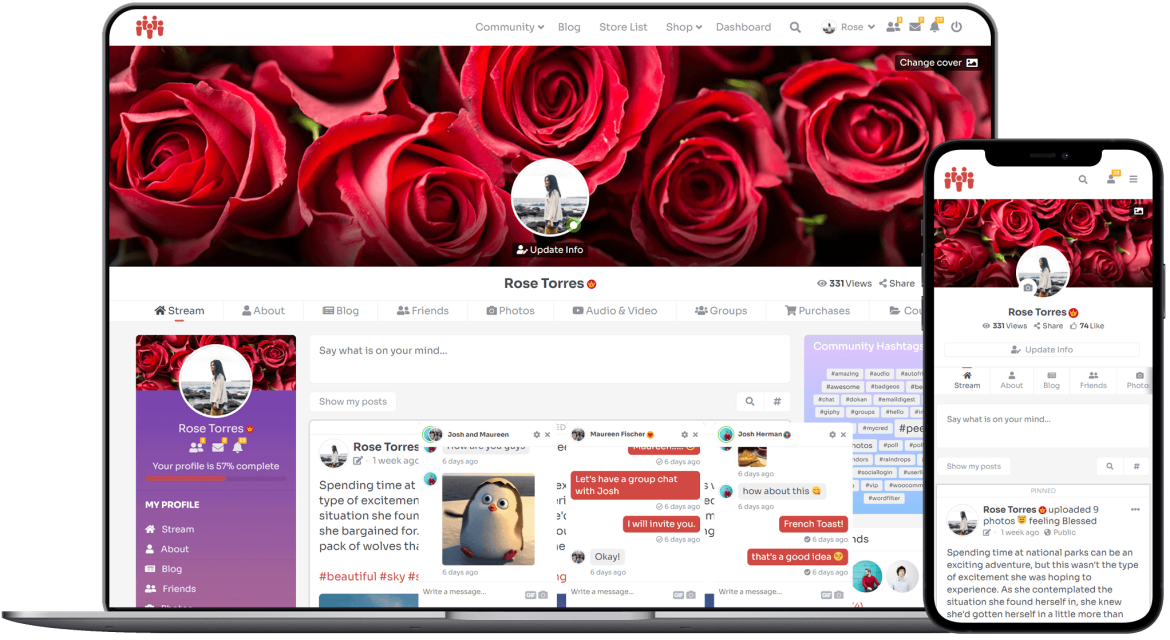
Gecko Theme was designed with PeepSo First approach, to enable us to make the most of PeepSo as a Social Networking Platform. It is specially crafted to extend the possibilities of PeepSo, while making sure that the entire site looks and works wonderfully. It can be used as a fully functional standalone WordPress theme and does not require PeepSo.
01
Made by PeepSo Team
Gecko is the only theme created by the same team that brought you PeepSo and its plugins.
02
Native PeepSo Integration
Designed to take PeepSo and its plugins to another level, with additional features which 3rd party themes just can’t provide.
03
Always Up To Date
Because Gecko Theme and PeepSo are made by the same team, you will always have a theme compatible with the latest version of PeepSo.
Customizer
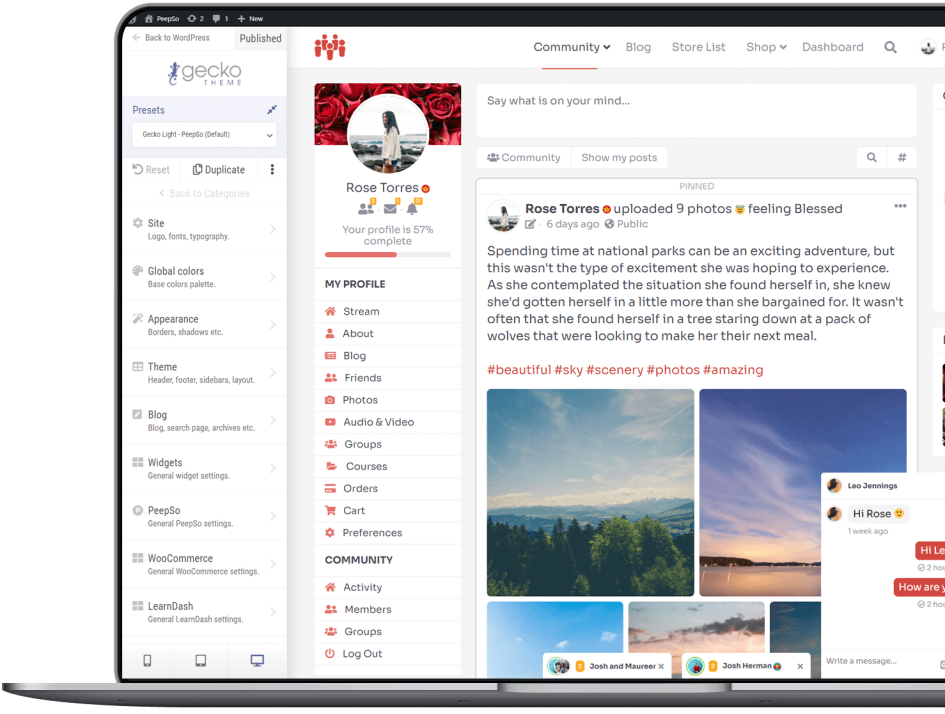
Gecko Theme comes with the in-house built customizer with sliders and options that make changes to your site in real time. It does not replace the standard WordPress customizer; however, all Gecko-related settings have been moved into our own Gecko Customizer.
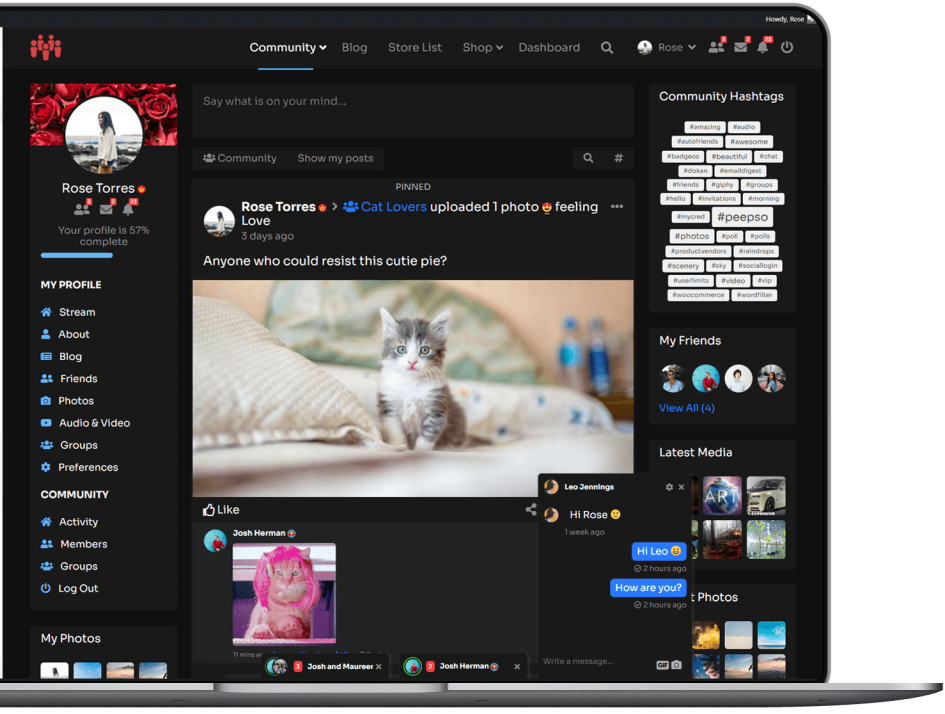
Gorgeous Header
Gecko comes with an eye-pleasing, versatile header that can contain navigation, activity search, PeepSo live notifications, and more.
Fully Customizable
Add menus, including menu alignment and menu position. All immediately accessible and available in Theme Customizer.
Widget Positions (in header)
You can place widgets in the Search and Header positions to include additional navigation, shopping carts or more.
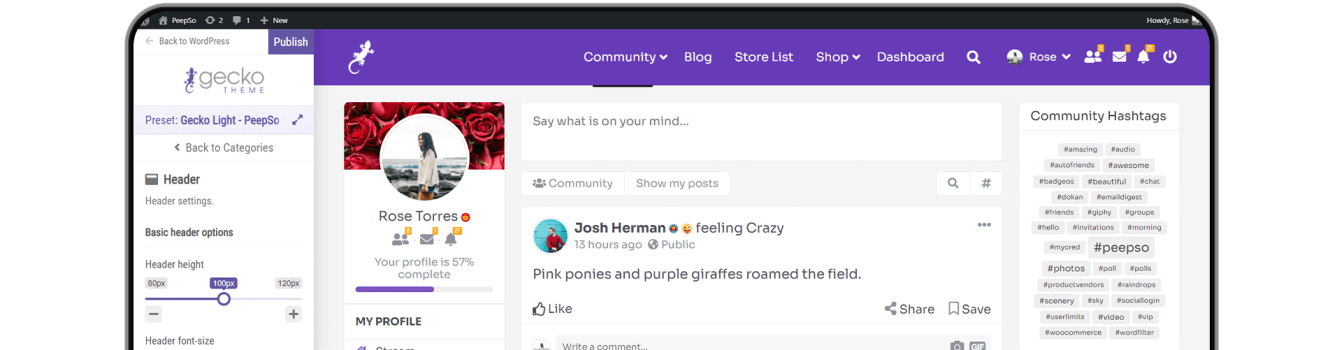
PeepSo Integration
01. Beautiful User Profiles
Don’t like the default look of profile page in PeepSo? Gecko Theme gives you more options to choose from. Simply pick the one that best suits your design idea. If that is not enough, control the position of the user avatar and its size, as well as profile cover height.
06. Paint The Chat
Chose the colors for the chat plugin so it can really “pop” from the rest of the site.
05. Group Avatar and Cover Sizes
Change the sizes and height of group avatars and covers.

02. Customize It
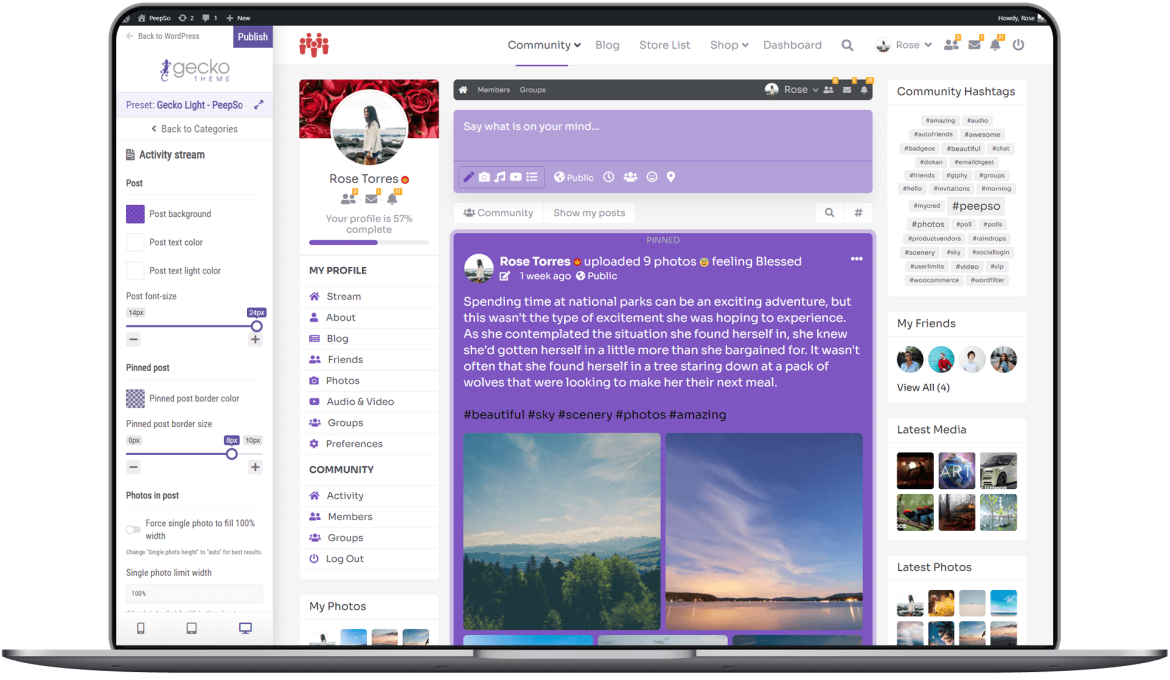
Change the colors of PeepSo to match the style of Gecko. Control the fonts in activity stream and postbox, change the colors of these elements too.
03. Pinned Posts Style
Highlight pinned posts by changing the border size and color to make them stand out more.
04. Photos In Stream
Change the width of individual photos or the entire gallery.
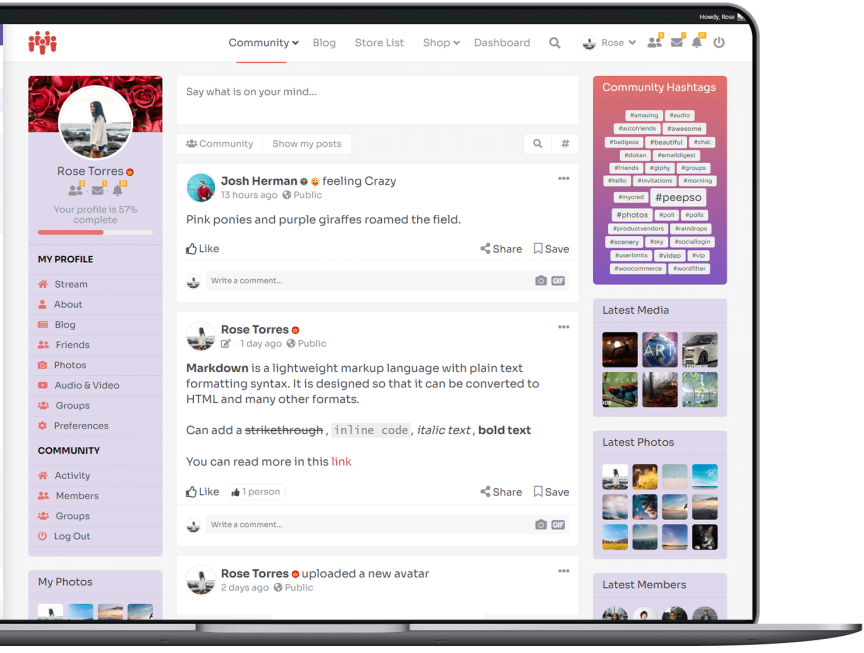
Widgets
Amazing Landing Page
Create amazing landing pages for your site. Add Title, Call To Action text, Featured Image. All within your Page Settings. Create as many landing pages as you like.

Third-Party Integrations
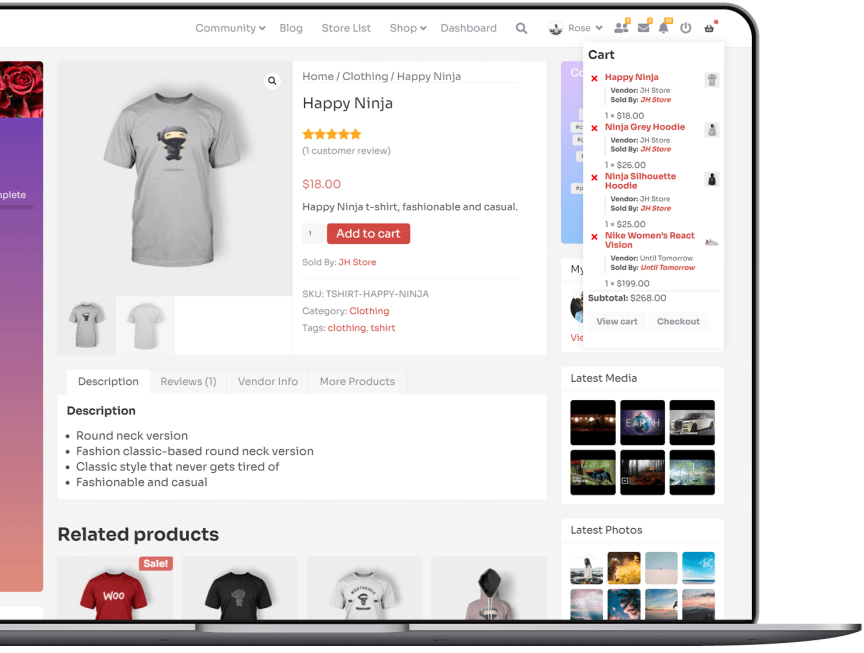
WooCommerce
Gecko comes with a beautiful WooCommerce integration that’s fully customizable too.
Easy Digital Downloads
Selling digital goods? Great! Gecko also supports Easy Digital Downloads.
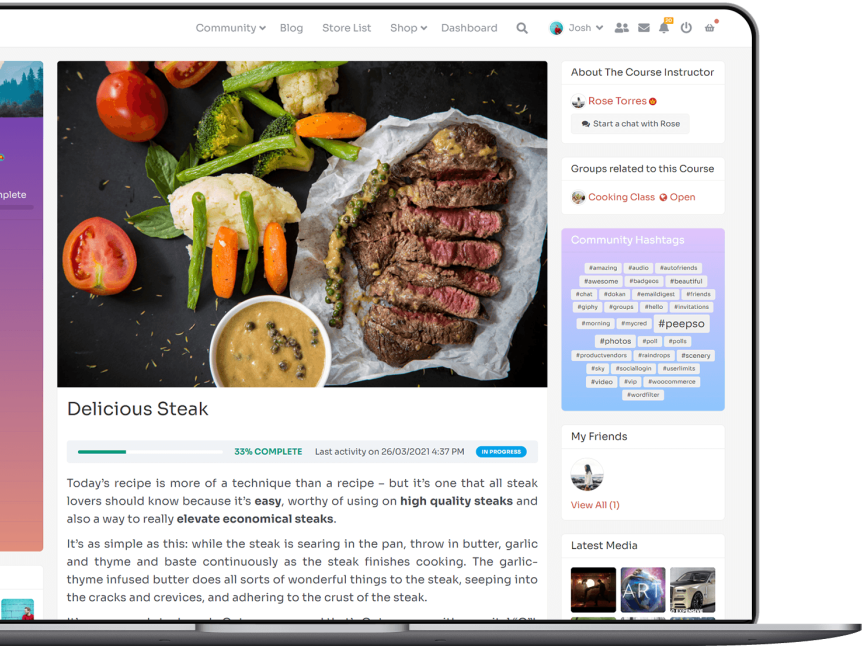
LearnDash Integration
LearnDash support is also built into our theme. You can create gorgeous online courses with Gecko and LearnDash.
Standalone theme
Gecko Theme is completely standalone and does not need PeepSo to function properly. With PeepSo, you can have a seamless experience between community, blog and other parts of your WordPress site.
Responsive
Works great on phones, tablets and other mobile devices.
Flexible Layout
Fluid or fixed width, different sidebar sizes, columns gap.
Browser Support
Supports all modern desktop browsers.
Page Builders Support
Beaver Builder and Elementor are recommended at this point.
Lightweight
Super-fast loading times unobstructed by redundant scripts.
Customizable
Easy to adapt to your liking, whether configuration or overrides.
Hide Admin Bar
Gecko Theme does this automatically for you. No need to install additional plugins.
Gutenberg Support
Full Gutenberg Support plus an addition of its own Gecko: Container block that allows grouping other blocks.
Footer Customization
Amongst many, Gecko Theme comes with options to customize your site’s footer. Up to 5 columns for widgets, footer menu position, color options and more.
Full Technical Support
Support for no additional cost. Support is provided to active license holders. The number of supported sites is dependent on the license choice.
Updates & Upgrades
With active license you have access to updates and upgrades.
Downloads
As long as you have an active license you have full access to theme file downloads.
Social Login