



Enhance Your Business
What can you do with PeepSo – WooCommerce Integration?
At its core, this plugin enables you to create an interactive Store for your Community. It’s a fantastic way to monetize your site and bring your products to the right hands.
You can sell whatever you want – to the people you want.
Functional Design
How does it work?
Upon activating your PeepSo – WooCommerce plugin on your website, Store-related settings will be added to your users’ profiles, under Preferences and Activity Settings sections.
Both will be enabled by default, so make sure to announce to Your Community that whenever they make a purchase, there will be a corresponding post created on Activity Stream.

Interactive Purchases
Purchase Posts in Your WooCommerce Store
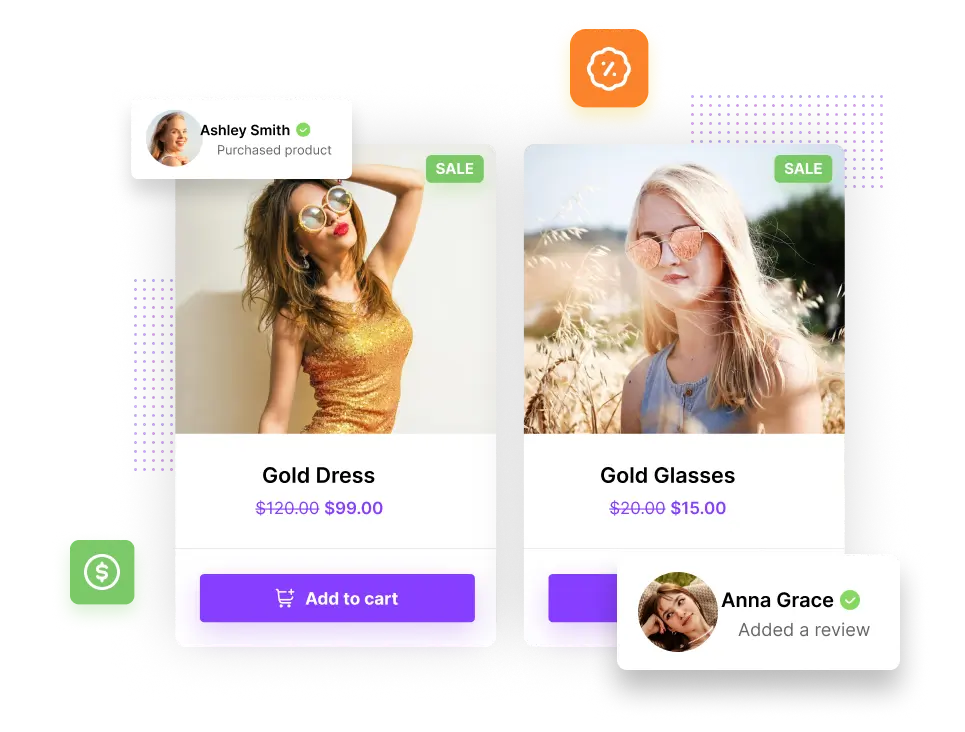
The post that is created upon purchase made by a user will seamlessly blend into your PeepSo Community’s activity stream. It takes the WooCommerce product right from your store and showcases it within the post.
This integration enables the customer to buy one or more products easily, while making it look beautiful. They will also feel as if they have made an achievement; this will motivate both your existing and pending customers to dedicate to your site, as well as potentially recommend it elsewhere.
Suggestive and User-Friendly
If my friend can buy, I can buy as well
Any user can see their friends’ purchases, and they might want to buy the same product. And that’s the point! The biggest advantage of using embedded products is that it’s really easy to just buy them, through this very clear yet indirect recommendation.
You can adjust this setting in the Integrations’ configuration in the backend of your site, in this case: PeepSo > Configuration > WooCommerce.
Engaging Feedback
Reviews and Comments
Every customer can make one review at a time and each publication can have just one review. There is also an extremely popular feature: Rating the product with the chosen value of 1-5 stars.
You can adjust this setting in the Integrations’ configuration in the backend of your site, in this case: PeepSo > Configuration > WooCommerce.
Shopping Practicality
User Profiles
When you add a Store to your Community – or vice versa – the shopping experience gains a social aspect, so your e-commerce project gains an incredible boost and multiplies your chances of financial success.
User profiles in your PeepSo Community are enhanced with the Store Navigation; Orders and Cart menus are available in the PeepSo Profile Widget, as well as in the dropdown menu on PeepSo Toolbar.
Easy Way to Checkout
Cart
The Cart is interactively divided into Add-to-Cart and Checkout, so your customers have full control over their purchases, while being provided with clear directions.
Customer Info Integration
Provide to Your Customers, no matter Where they are
Users can set their shipping and billing addresses right inside their User Profiles in your PeepSo Community.
The “About” section will have a new tab – Addresses, and information entered there by the user will be used for shipping the product that they have bought. This brings much more ease into the purchase process.
Customizable Setup
Backend – You are in Control
There’s a number of settings that go with the PeepSo – WooCommerce Integration Plugin, and you can set up all of them to your liking. Upon visiting your backend, under PeepSo > Configuration > WooCommerce, you will be presented with options which we’ve made very easy to approach.
For example, you as an Admin can decide whether posts will be created when someone purchases and/or reviews a product.
Users have the option to override some settings in their own profiles too; if they don’t want the community to know they either purchased or reviewed something, they have the option to not have those posts created on their behalf.
Multi-Vendor Marketplace
Dokan Integration
Dokan is one of the best WordPress e-commerce plugins for building multi-vendor marketplaces, based on thoroughly proven WooCommerce. It is similar both in beauty and functionality to Amazon, eBay, Shopify and other renowned online mega-stores. That is why PeepSo is providing Dokan Integration for your Community, along with our WooCommerce Integration, making the most of all its features.
With Dokan Integration, you will get multiple features, some of which are:
- Enabling your Users to sell their products through your Store
- You can set commissions based on products
- Targeted stores for specific types of products
- Variety of different payment gateways
- Multilingual support
Explore all the possibilities that Dokan offers and turn your store into an interactive, bustling marketplace.
Dokan plugin is enabling the multi-vendor marketplace feature for PeepSo – WooCommerce Integration plugin, and therefore requires it to be installed and enabled.
Dokan cannot be used alongside WooCommerce Product Vendors plugin, because they have the same function. Choose one or the other – it is merely a matter of your preference. We love providing you with multiple options.
Woo Product Vendors
Product Vendors is a multi-vendor marketplace plugin developed by WooCommerce, designed to seamlessly blend into all of its features. PeepSo is providing Product Vendors Integration in addition to WooCommerce Integration, for a great experience of having a genuine online marketplace in your Community.
With WooCommerce Product Vendors Integration, you will get multiple features, some of which are:
- Enable your Users to sell their products through your Store
- Set Vendor-specific commission rates
- Allow users to manage their own products
- Get full sales reports
Transform the Store within your Community into an interactive marketplace where users can buy your goods, as well as sell their own.
Product Vendors plugin is enabling the multi-vendor marketplace feature for PeepSo – WooCommerce Integration plugin, and therefore requires it to be installed and enabled.
Product Vendors cannot be used alongside Dokan plugin, because they have the same function. Choose one or the other – it is merely a matter of your preference. We love providing you with multiple options.