

Note: this is the custom code change and as such is not officially supported by PeepSo team. You should create the full backup of your site before applying custom codes.
IMPORTANT: This snippet only works for Legacy postbox. If you have “New Postbox” enabled in WP Admin -> PeepSo -> Configuration -> Stream Posts settings, you don’t need to add this code because options are already displayed.
Overview #
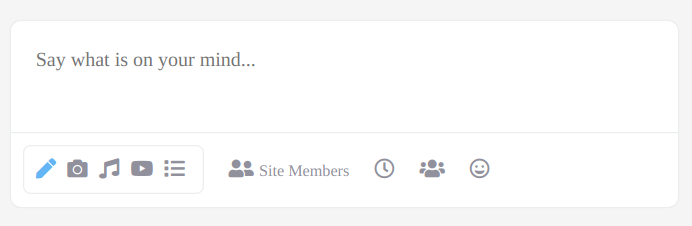
Since PeepSo postbox options are hidden by default, this snippet will make them visible, as shown on the screenshot bellow:
How To Apply This Snippet? #
- Method 1 (Manually) – Open the WordPress Admin Panel and navigate to “Appearance -> Customize”. Once WordPress Customizer is open, expand the Custom CSS panel and copy the snippet to it.
- Method 2 (Trough plugin) – NOT SUPPORTED! Since this is a CSS change, you can’t use the plugins like Code Snippets to add it. It must be installed manually.


